
You've got a database with a hundred rows. One column is empty and you don't want to type it a hundred times. AI autofill is the fix — and it takes about thirty seconds to set up.
In this guide I'm using a real example: a database of 20 Moroccan cities with four empty properties. By the end, AI fills every single one.
Before you start — two autofill modes
Notion has two flavors of AI autofill:
Basic Autofill — set up per property. Best for simple stuff like summaries, translations, and tagging. Included on Business and Enterprise plans. Only reads the page itself — no web search.
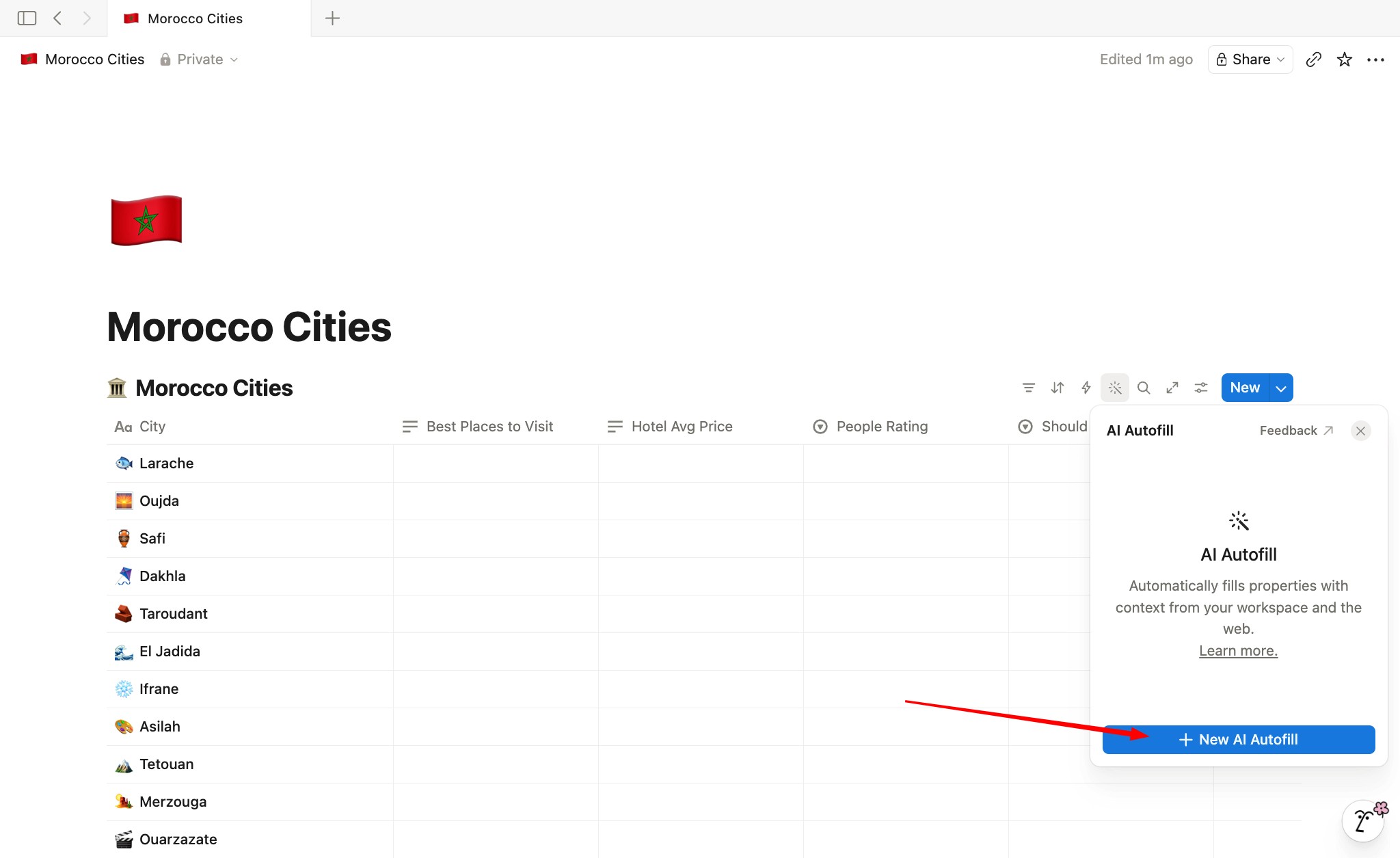
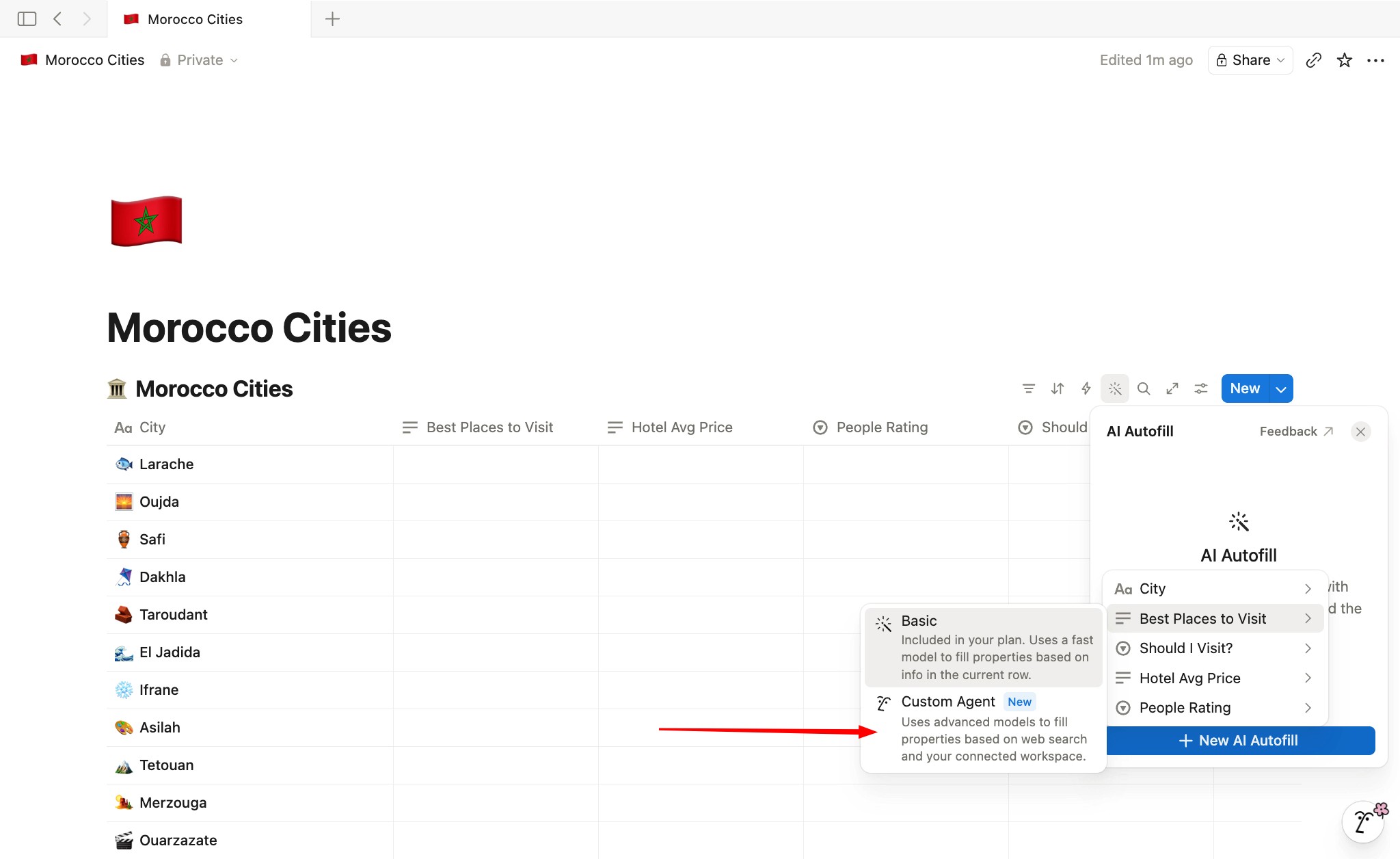
Custom Agent Autofill — the toolbar icon at the top of the database. Powered by Custom Agents. Handles complex work: web search, workspace search, multi-step instructions, multiple properties at once. Uses Notion credits ($10 per 1,000).
This guide covers the Custom Agent Autofill — the one most people don't know about yet.
The example
A database called Morocco Cities. 20 rows. Each row is a city name. Four properties sit empty:
Best Places to Visit (text) — top landmarks
Should I Visit? (select) — Yes / Maybe / No
Hotel Avg Price per night (text) — USD range
People Rating (select) — ⭐ to ⭐⭐⭐⭐⭐
The goal: fill all four across all 20 rows in one shot.
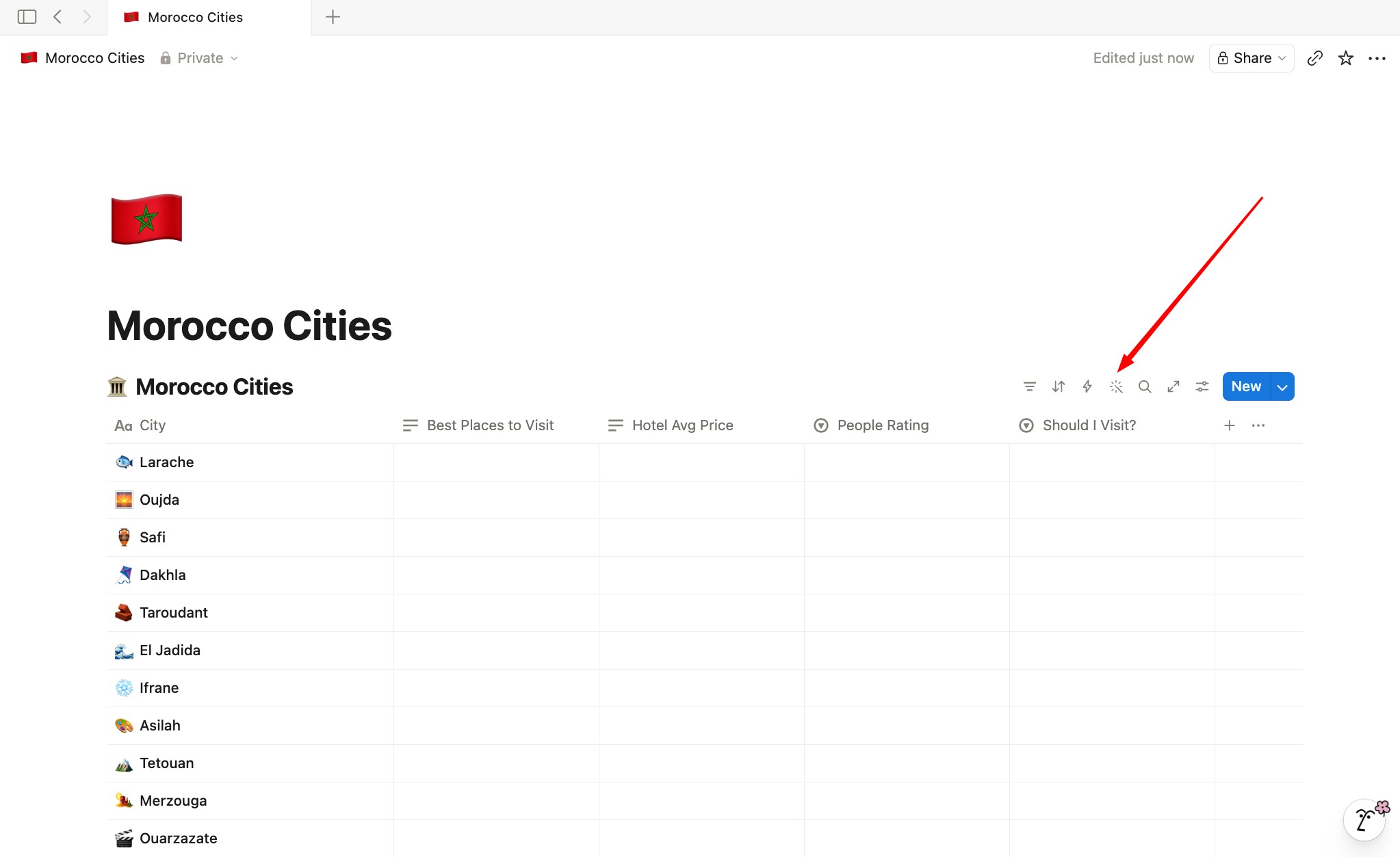
Step 1 — Click the AI Autofill icon in the toolbar
At the top of your database, you'll see a small magic icon in the toolbar. Click it. A panel opens.
Step 2 — Select the columns you want filled
Pick the properties AI should write into. In our case, all four: Best Places to Visit, Should I Visit?, Hotel Avg Price, and People Rating. You can select multiple at once — that's the advantage over Basic Autofill.
Step 3 — (Optional) Select context properties
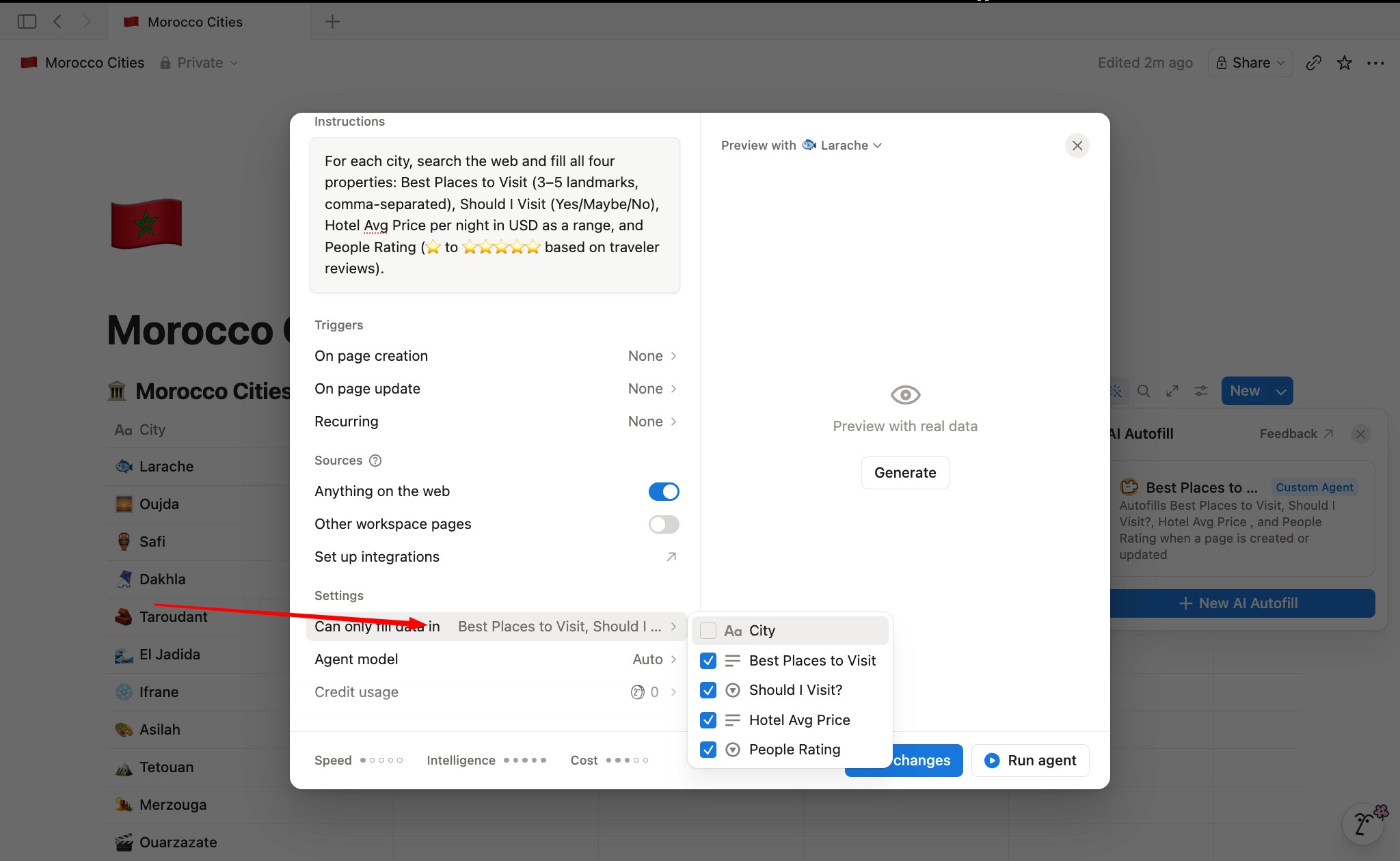
Tell AI which existing columns to read as input. Here, the only filled column is City — so select that. This is what the agent uses to know which city it's researching.
Step 4 — Describe the task
Write a short instruction. Here's the one I used:
"For each city, search the web and fill all four properties: Best Places to Visit (3–5 landmarks, comma-separated), Should I Visit (Yes/Maybe/No), Hotel Avg Price per night in USD as a range, and People Rating (⭐ to ⭐⭐⭐⭐⭐ based on traveler reviews)."
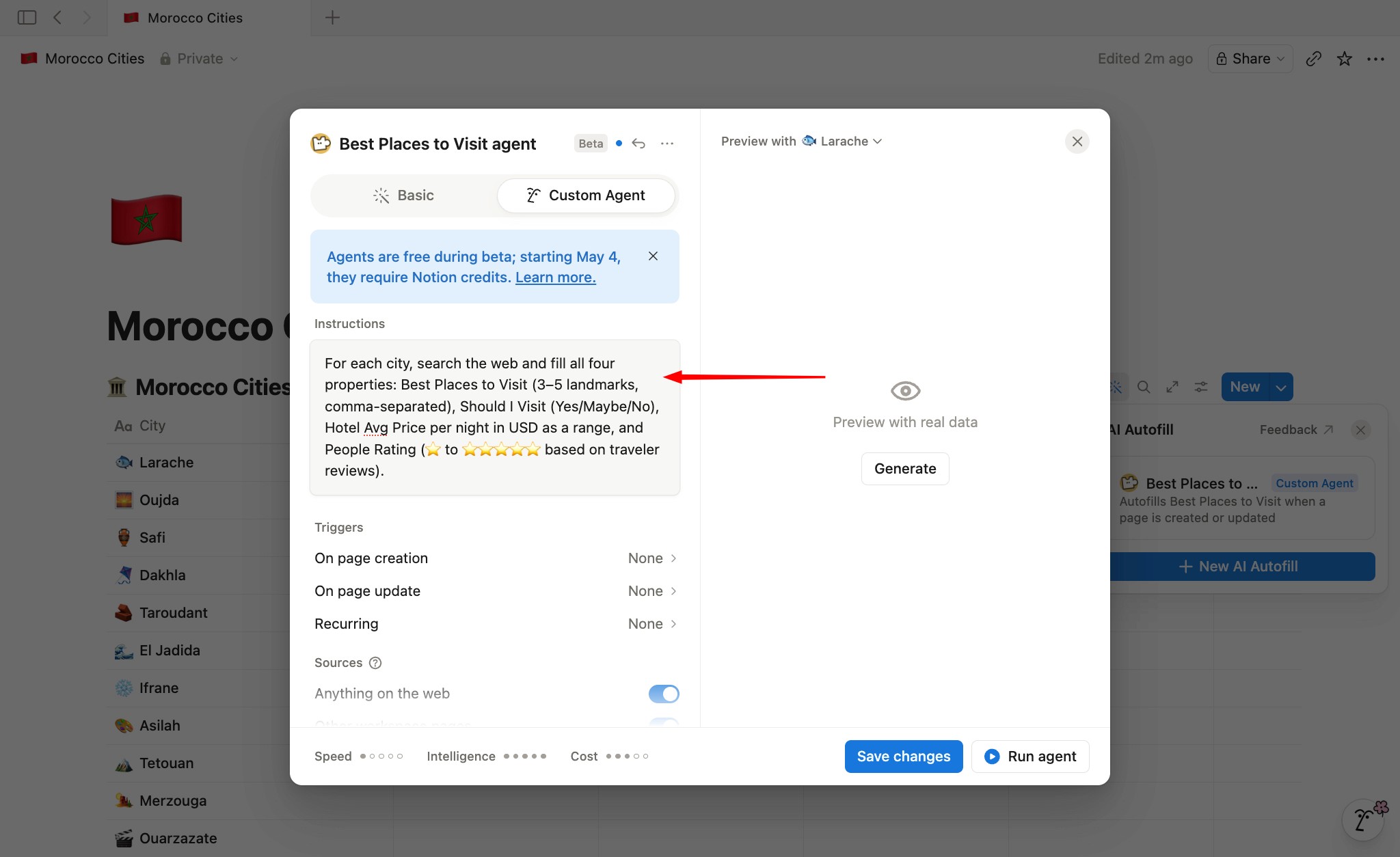
One sentence. That's all it needs.
Note: It's better to turn off "Other workspace pages"
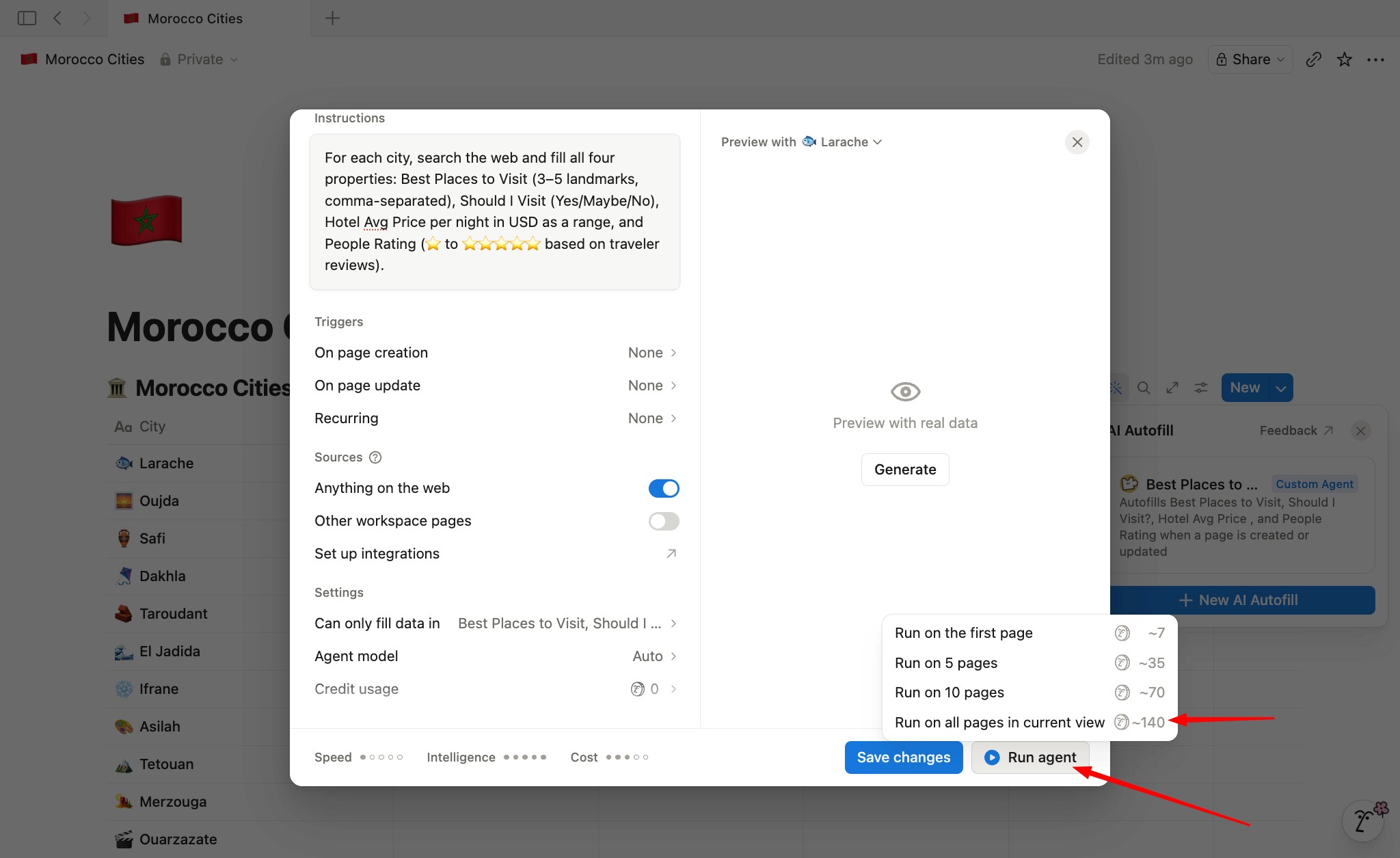
Step 5 — Pick the scope and run
Three options: first page, first 10, or all pages.
Start with the first page to check the output. If it looks right, run it on all 20.
One thing to know — credits
Custom Agent Autofill runs on Notion credits. It uses the same credit system as Custom Agents — $10 per 1,000 credits. The more rows you fill and the more complex the task, the more credits it burns.
For simple stuff where you don't need web search, use Basic Autofill instead — it's included on Business and Enterprise plans at no extra cost.
That's it
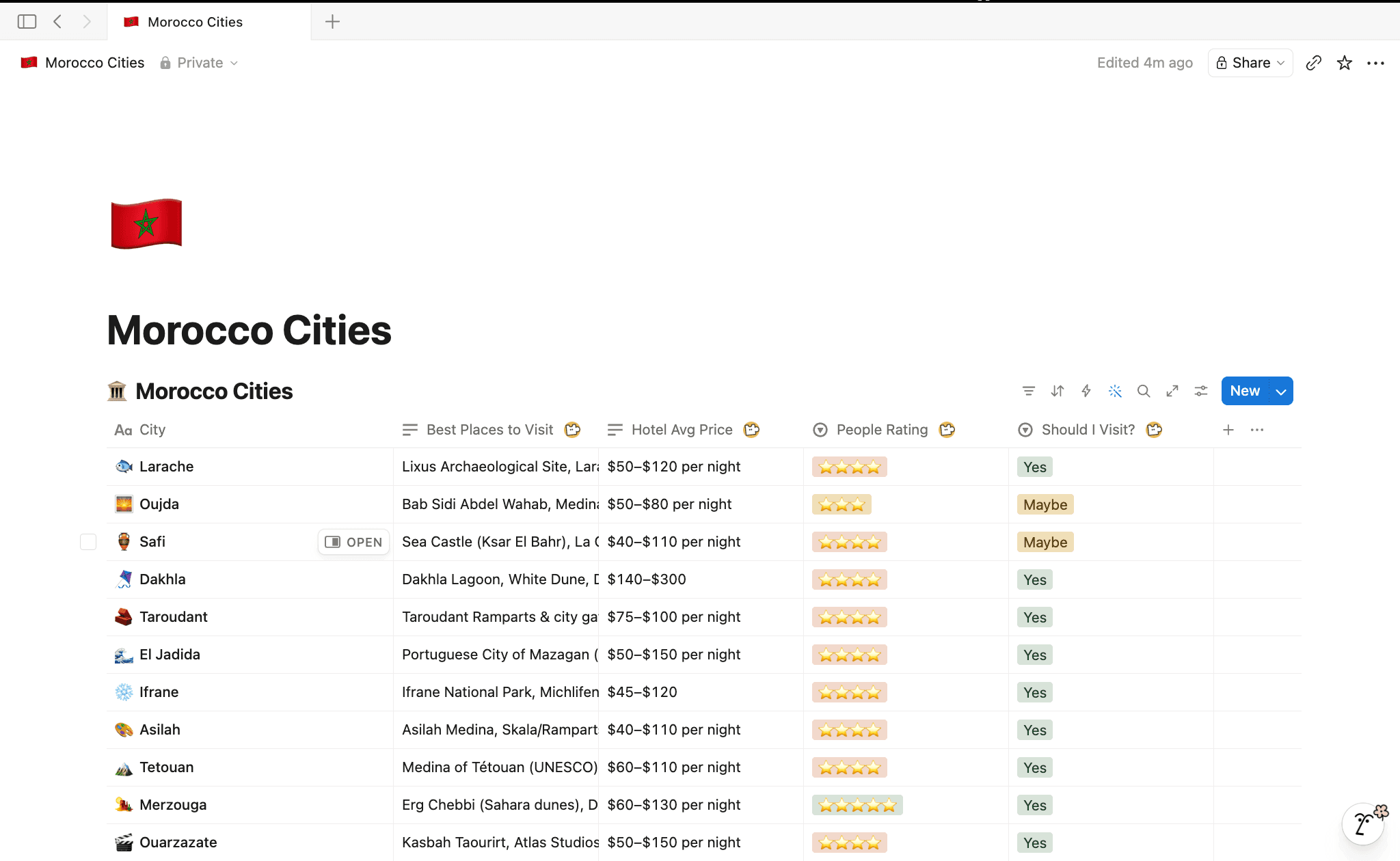
One toolbar click. One prompt. Every row filled. No copy-pasting, no typing the same thing twenty times. Set it up once and let AI do the boring part.
And BTW — if you've been looking for one place to organize your entire life, plus it can be turned into a full RPG game with one click, check out Second Brain 6.0 + Game Mode V2. It's insane.
👉 Second Brain 6.0

And OH — if you're a full-time creator like me, or taking steps toward that, here's my personal system as a creator.
👉 Creator Brain 4.0