Most students don't fail because of effort.
They fail because of disorganization.
Between classes, assignments, exams, and personal life, everything gets scattered across notebooks, apps, and browser tabs that never talk to each other.
You need one system for academics.
Another for personal tasks.
A third for notes.
And when exam season hits? Pure chaos.
Here's the truth: you don't need more apps.
You need one unified system where everything connects.
That's why I built Student Brain — a complete Notion system for students who want academic excellence without the chaos.
Let me show you what makes it work.
Why You Need Student Brain

Stop switching between multiple tools – Classes, assignments, finances, goals, and habits in one workspace.
See the big picture – Understand how your academic performance connects to your personal goals.
Never miss a deadline – Track assignments and exams with automatic overdue alerts.
Build sustainable success – Balance academic excellence with personal development and life goals.
Work smarter, not harder – Connected databases that save hours every week.
Scale without chaos – Your system grows with you throughout your entire academic journey.
How I Built Student Brain
Step 1: Keep Everything You Already Have
I kept all the core life management systems:
Tasks – Daily to-dos and action items
Habits – Consistency and routine tracking
Goals – Personal and academic objectives
Projects – Long-term milestones
Journaling – Reflection and tracking
Books – Reading tracker
Resources – Study materials and tools
Finances – (Complete Finance Brain included free)
Here’s the insight:
some databases connect to academics, others to personal life.
For example:
Goals – “Achieve 4.0 GPA” (academic) and “Run a 5K” (personal)
Projects – “Complete thesis research” and “Learn guitar”
Tasks – “Review biology notes” and “Call mom”
So I kept everything—but made sure academic items link where they should.
Step 2: Build the Classes Manager
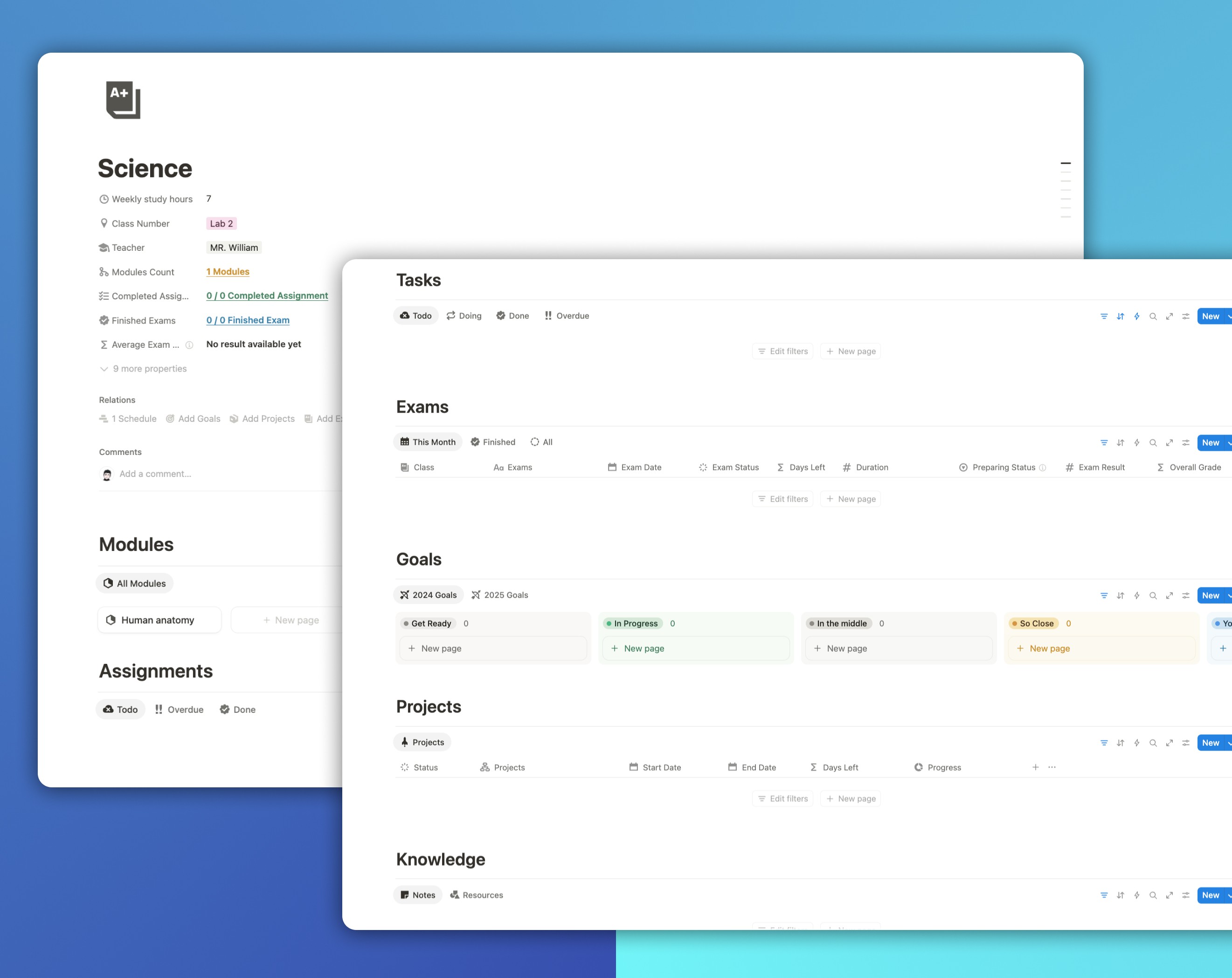
Classes are your academic foundation.
Each class is a complete hub that connects everything: modules, assignments, exams, notes, resources, projects, and goals.
Tracked inside each class:
Class Name
Weekly Study Hours
Class Number
Teacher
Modules Count
Completed Assignments
Finished Exams
Average Exam Result (auto-calculated from all linked exams)
Below that, everything connects through relations — one click shows your entire semester for that course.
Step 3: Create the Modules Database
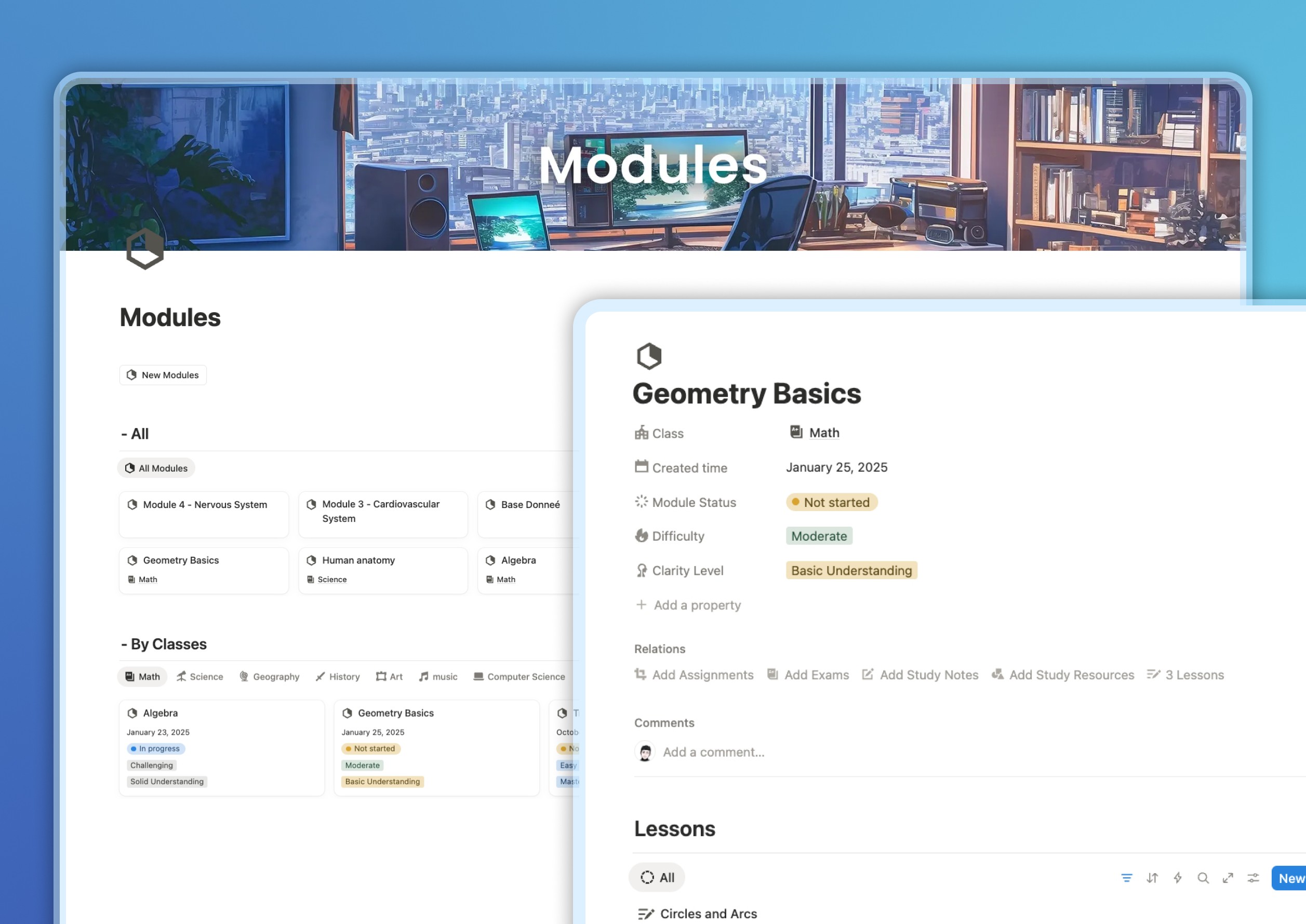
Modules break classes into clear, learnable chunks — each representing a unit, chapter, or section of your syllabus.
Each module includes:
Module Name
Related Class
Module Status – Not Started, In Progress, or Completed
Difficulty Level
Clarity Level
Linked Lessons, Assignments, Exams, and Notes
When you open a module, you instantly see how far you’ve progressed and what needs attention.
Step 4: Build the Lessons Database
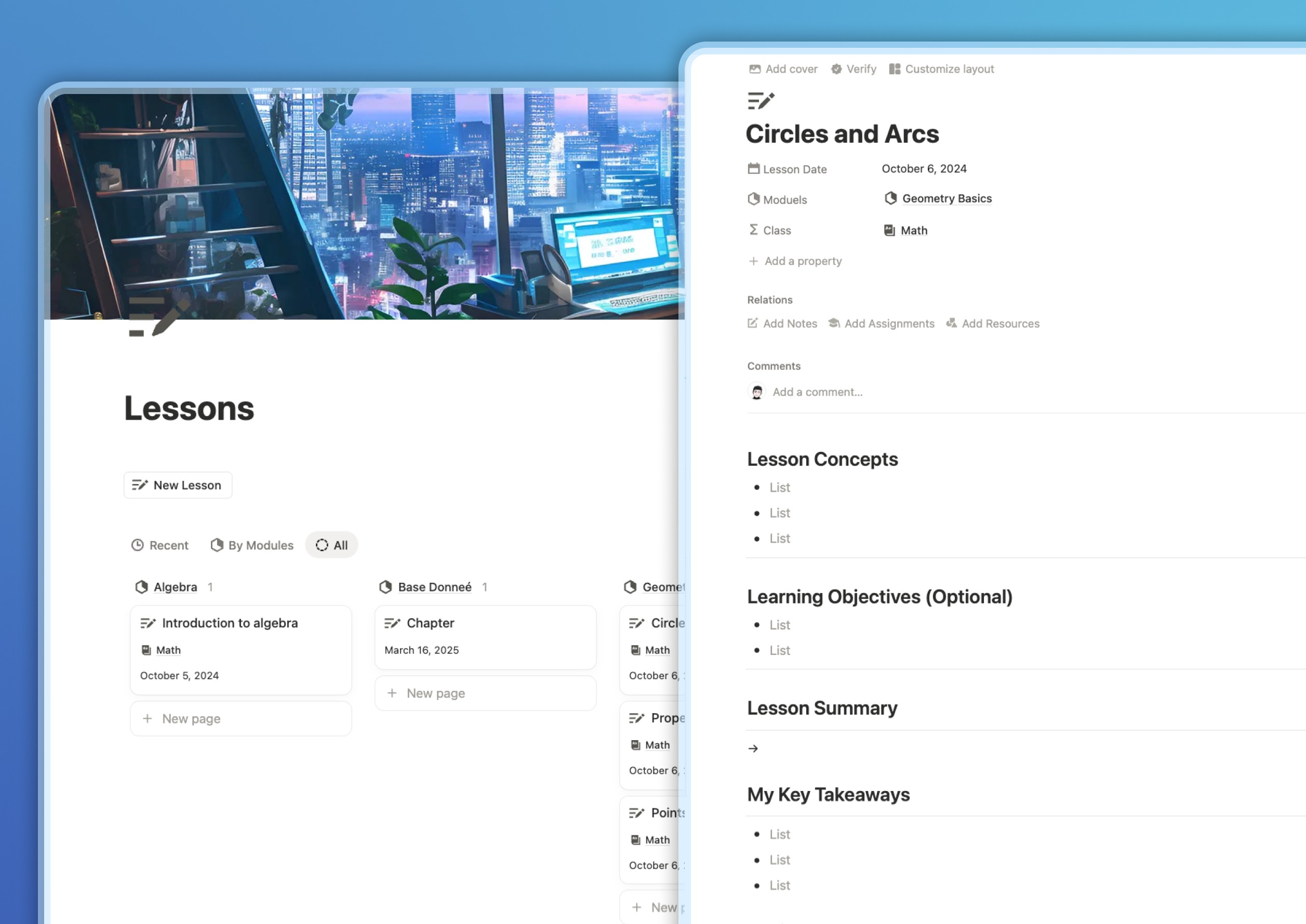
Lessons are where the real learning happens.
Each lesson page includes:
Lesson Title & Date
Related Module & Class
Lesson Concepts
Learning Objectives (optional)
Lesson Summary
My Key Takeaways
Linked Assignments and Resources
When exams come around, click the exam page and instantly access every related lesson.
No lost notes. No last-minute searching.
Step 5: Create the Assignments Manager
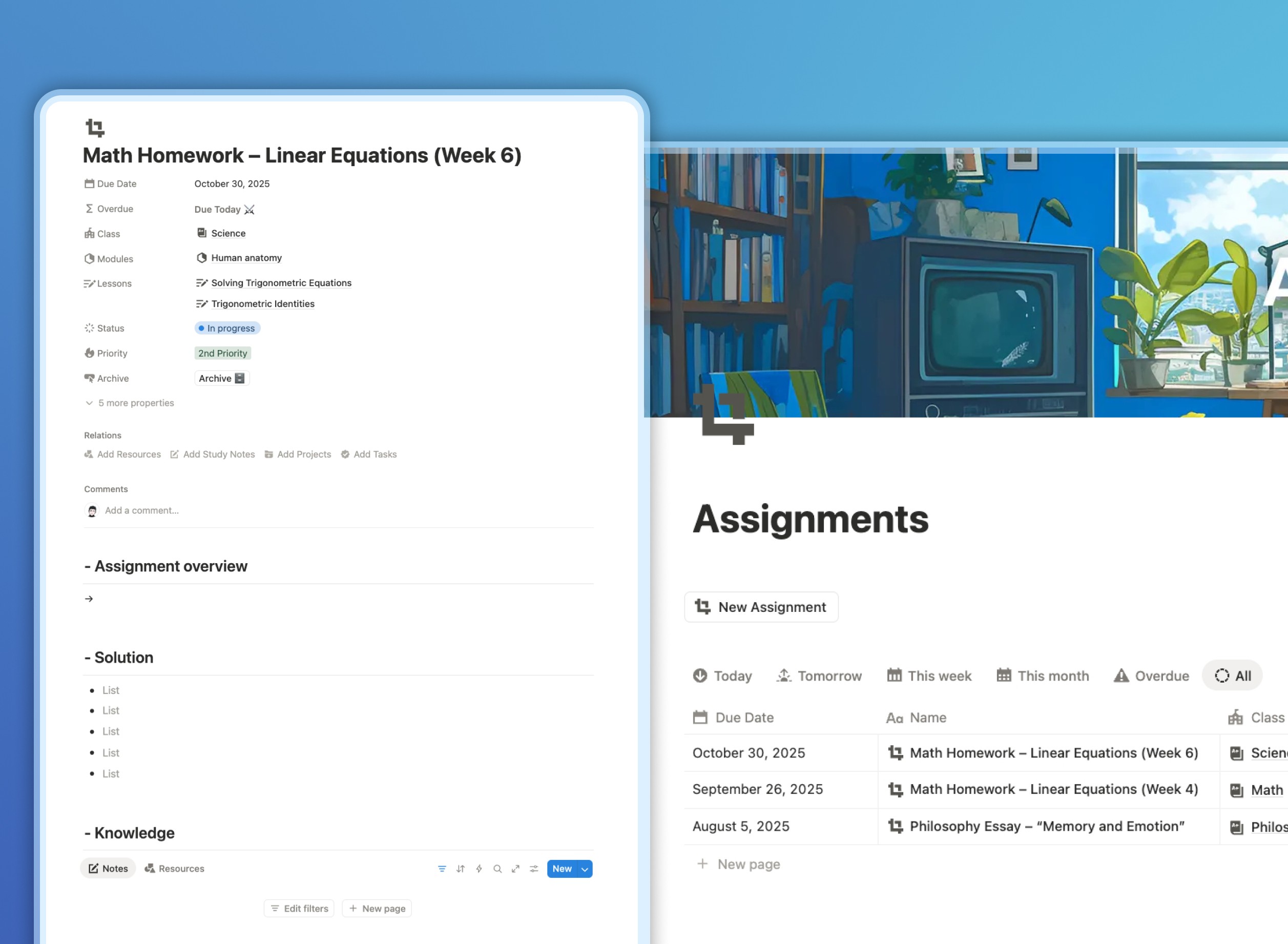
Assignments connect theory to action—and now they’re completely organized.
Each assignment includes:
Assignment Name
Related Class, Module, and Lesson
Due Date (with automatic “Due Today” & Overdue alerts)
Status – Not Started, In Progress, or Done
Priority – 1st, 2nd, or 3rd Priority
Assignment Overview, Solution, and Knowledge Sections
Views include:
Due Today
This Week
Overdue (turns red automatically if missed)
By Class
By Priority
No excuses. No confusion. Just results.
Step 6: Build the Exams Tracker
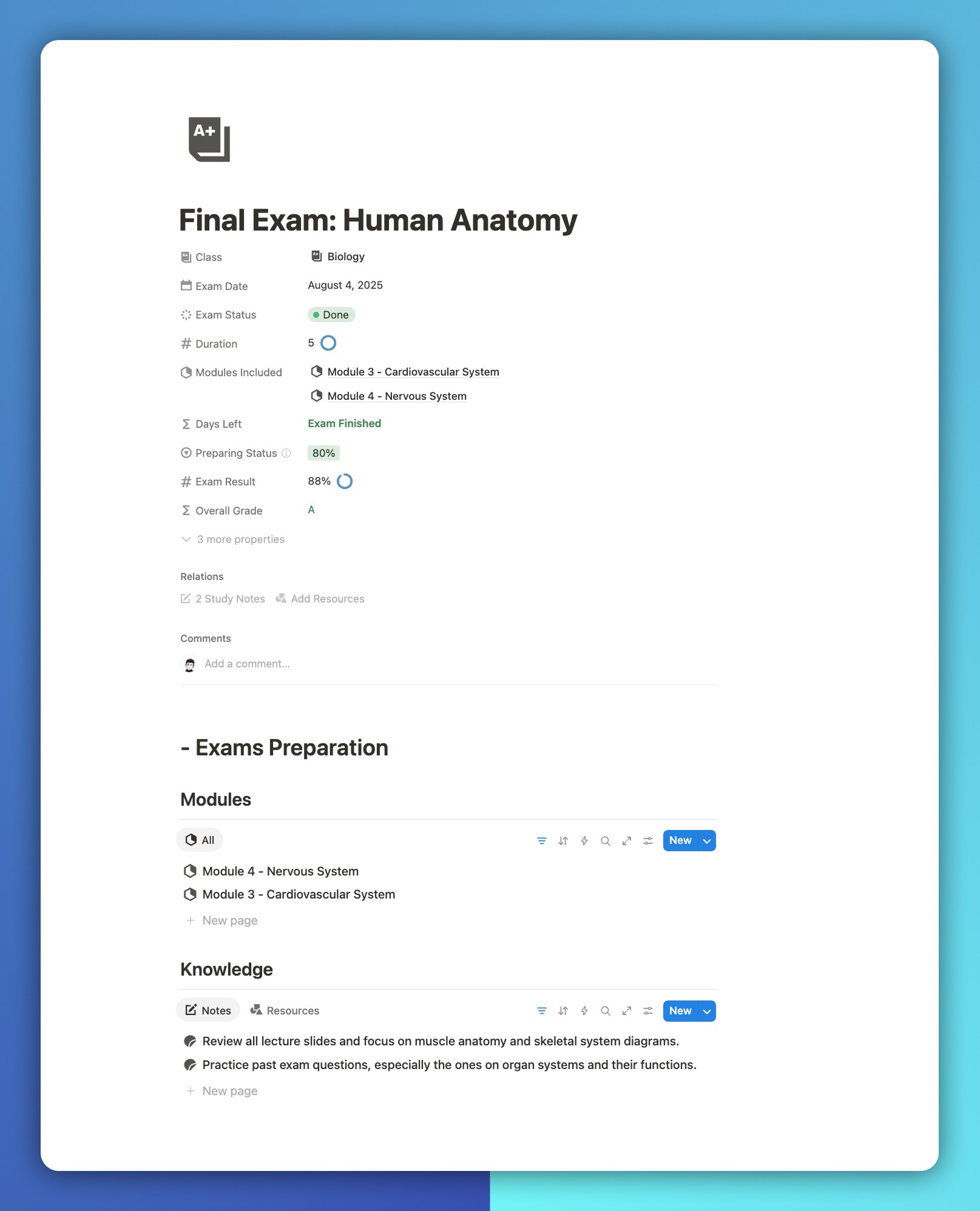
Exams deserve their own database—because preparation is everything.
Each exam includes:
Exam Name & Date
Related Class
Exam Status – Preparing or Done
Duration
Modules Included
Days Left (countdown)
Preparing Status (%)
Exam Result
Overall Grade
Under each exam, you’ll find Exam Preparation, which lists all the modules and notes related to that test.
So when exam day comes, you already know what to review.
Step 7: Organize Notes & Resources Together
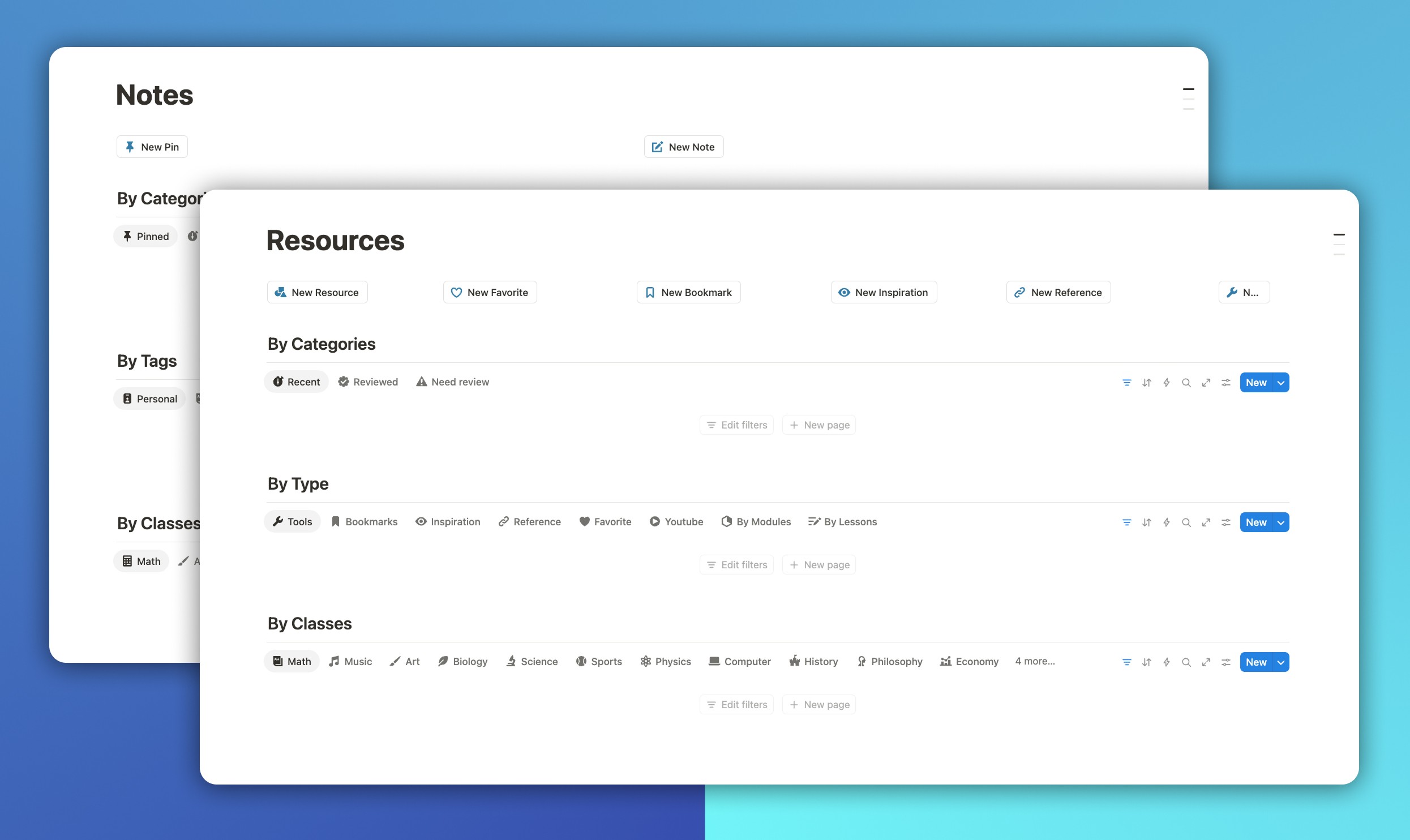
Notes and resources are combined into one efficient memory system.
Each note includes:
Note Title & Date
Related Class, Module, Lesson, Assignment, and Exam
Tags
Pinned or Archived Status
Review Status – Not Reviewed or Reviewed
Days Until Review (auto countdown)
Each resource includes:
Resource Name & Type (Book, PDF, Video, Website, etc.)
URL or Link
Related Class, Module, or Assignment
Notes Section for reference
Click an exam and see every note tied to it. Click a class and access all linked study materials instantly.
No searching. No chaos.
Step 8: Add Goals & Projects for Balanced Growth
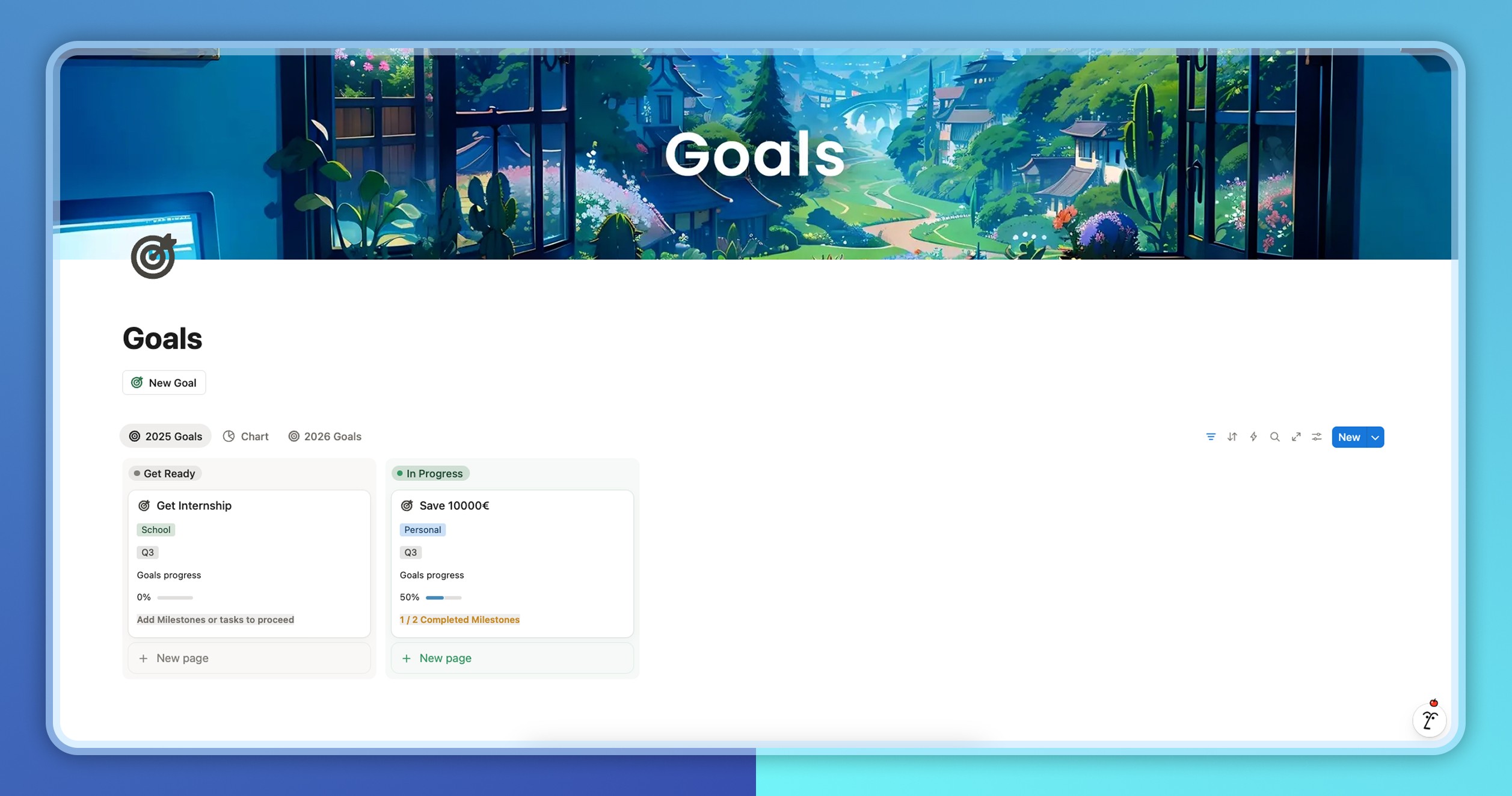
Student Brain balances academic focus with personal progress.
Goals Database:
Goal Name
Type – Study or Personal
Target Date & Status
Progress %
Related Projects, Classes, and Tasks
Two easy views:
Study Goals – “Achieve A in Biology”
Personal Goals – “Start a side project” or “Run a 5K”
Projects Database:
Project Name
Type – Academic or Personal
Related Class & Goal
Start & End Date
Status & Priority
Progress
Linked Tasks and Milestones
Everything you’re working toward stays visible—and achievable.
Step 9: Essential Databases for Every Student
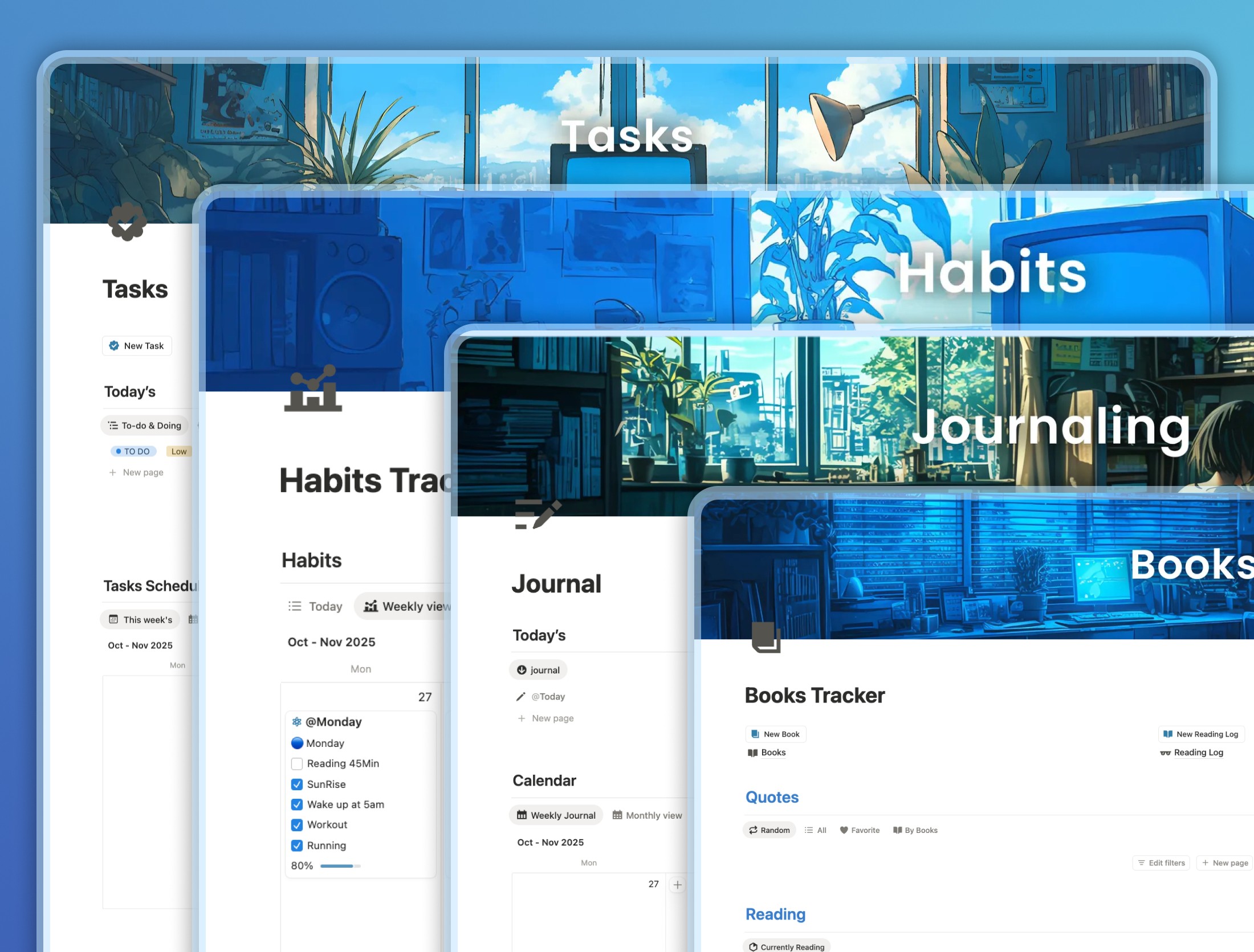
Student Brain also includes:
Tasks Manager – with time tracking, priorities, and connections to assignments, modules, and lessons.
Habits Tracker – to maintain consistency and growth.
Journaling Database – for reflection and progress.
Books Tracker – to log and revisit what you read.
Because organization is useless without self-discipline.
Step 10: Include Finance Tracker
Student life also means financial life.
That’s why Student Brain includes Finance Brain, fully integrated.
You can manage:
Income (part-time jobs, scholarships)
Expenses (tuition, rent, food, transport)
Budgets & subscriptions
Financial goals
Monthly summaries
Now, your finances and studies live side by side—just like real life.
Step 11: Daily Mission Tracker
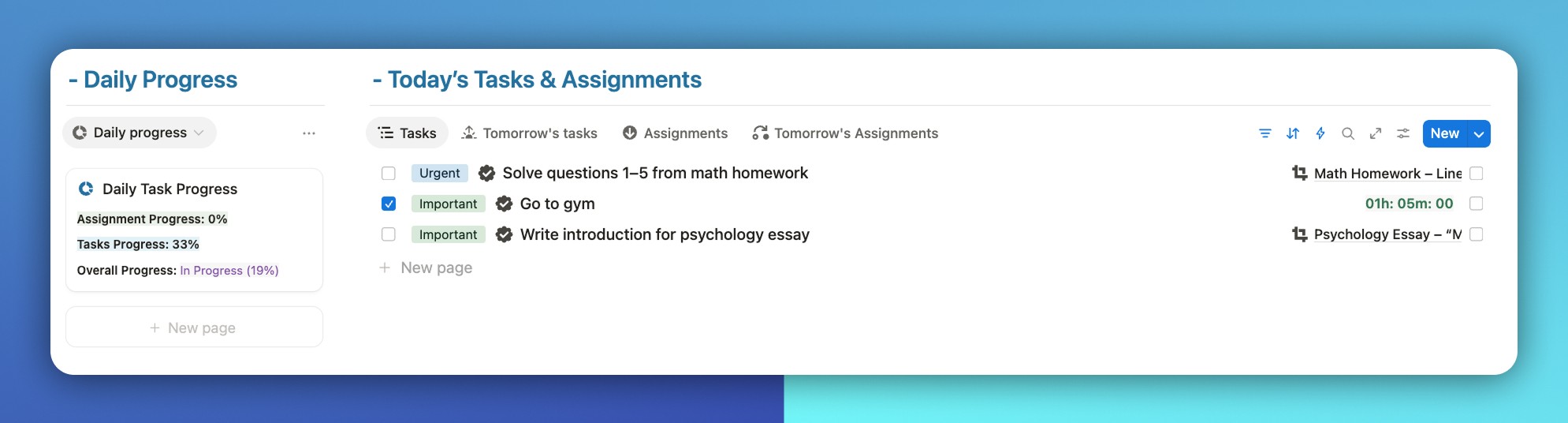
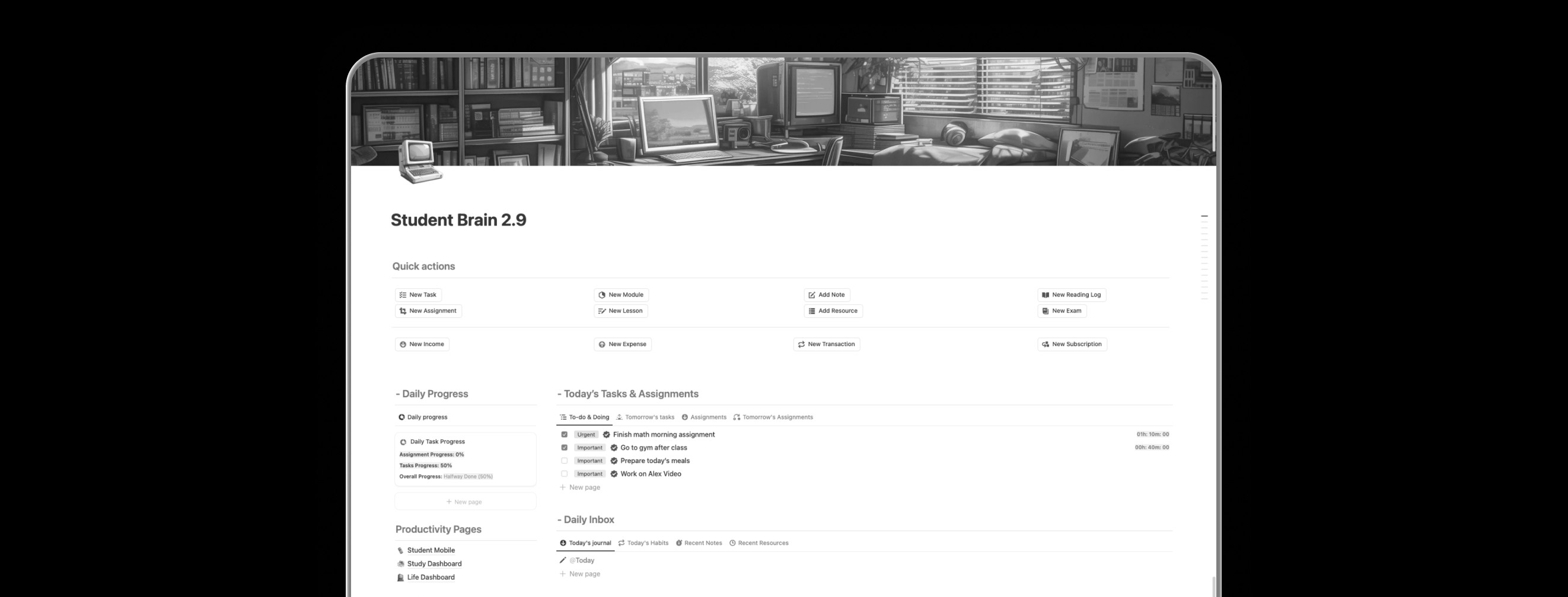
Every day, your dashboard updates automatically to show:
Tasks Completed Today
Assignments Submitted Today
Overall Progress (%)
Simple. Motivating. Honest.
It keeps you accountable without overwhelm.
Step 12: Dashboards — One Brain, Three Contexts
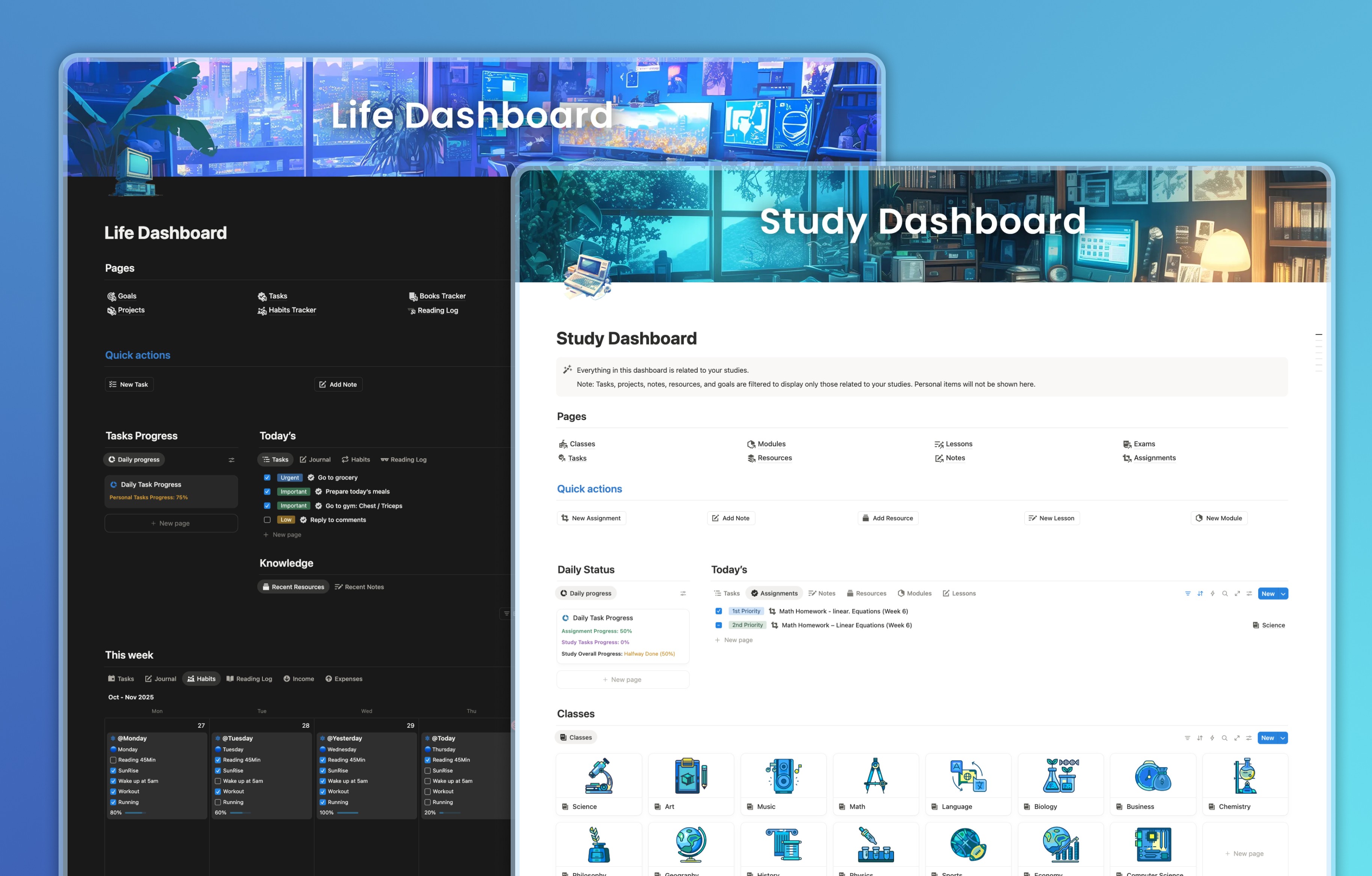
Switch between them anytime. One system, three modes of focus.
Main Dashboard — Your Master Control Center
Shows everything: academic and personal.
Today’s Focus, This Week’s Plan, Quick Stats, Active Projects, and Quick Capture buttons.
Study Dashboard — For Academic Focus
Displays only your study-related databases: Classes, Modules, Lessons, Assignments, Exams, Notes, and Resources.
Personal items stay hidden—pure focus.
Life Dashboard — For Personal Growth
Shows only personal Tasks, Goals, Projects, Habits, Journals, Books, and Finances.
A calm space to manage life outside of school.
The Shortcut to an Organized Student Life
You could build this system yourself — but it’ll take weeks of linking, testing, and rebuilding.
Or you can skip straight to clarity.
Student Brain 2.9 gives you the entire system — already structured, connected, and optimized for daily use.
Just duplicate it, add your classes, and start learning smarter.
It’s not just a template. It’s the shortcut every student needs to stay organized, balanced, and in control.
And it includes Finance Brain for complete finance life management.
👉 Get Student Brain 2.9
and make this semester the one you actually control.