There is a Notion feature most people still do not know about.
You can turn any Notion page into a full presentation. No PowerPoint. No Keynote. No Figma. Just your page, a few dividers, one click.
It is called Presentation Mode. And once you try it, you will stop opening slide software for half the decks you used to build.
Why this feature is useful
Your Notion page becomes the presentation. Whatever is on the page — text, images, callouts, columns, tables — shows up exactly as you designed it, just in slide format.
No redesigning. No copy-pasting. No “final_v2_FINAL.pptx” chaos.
You can use it for:
A modern resume you present live
Client pitch decks and proposals
Weekly or monthly team reviews
A product one-pager or product breakdown
Restaurant menus, portfolios, digital posters
Teaching slides, study guides, workshops
If your content already lives in Notion, Presentation Mode is the fastest way to get it in front of an audience without touching another tool.
How to set it up (step by step)
Five minutes. That is all you need. No design background. No plugins. Nothing to install.
Step 1. Open or create a Notion page
New page or an existing one — either works.
Step 2. Write your content
Headings, paragraphs, images, callouts, columns. Design the page the way you normally would in Notion.
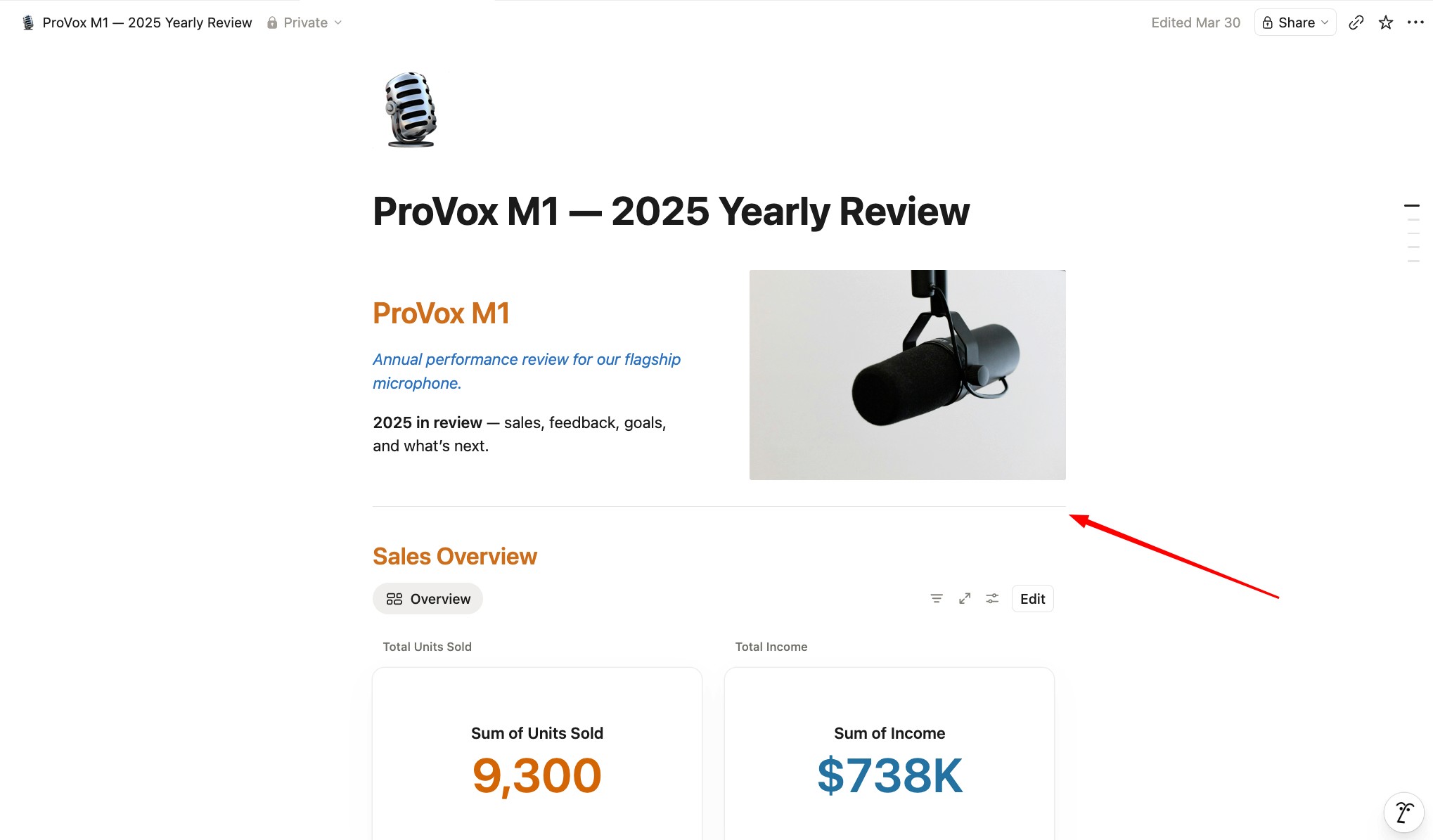
Step 3. Add a divider between each slide
This is the whole trick.
Type three dashes on a new line (---) or use /divider. That line is now a slide boundary.
Everything between two dividers becomes one slide.
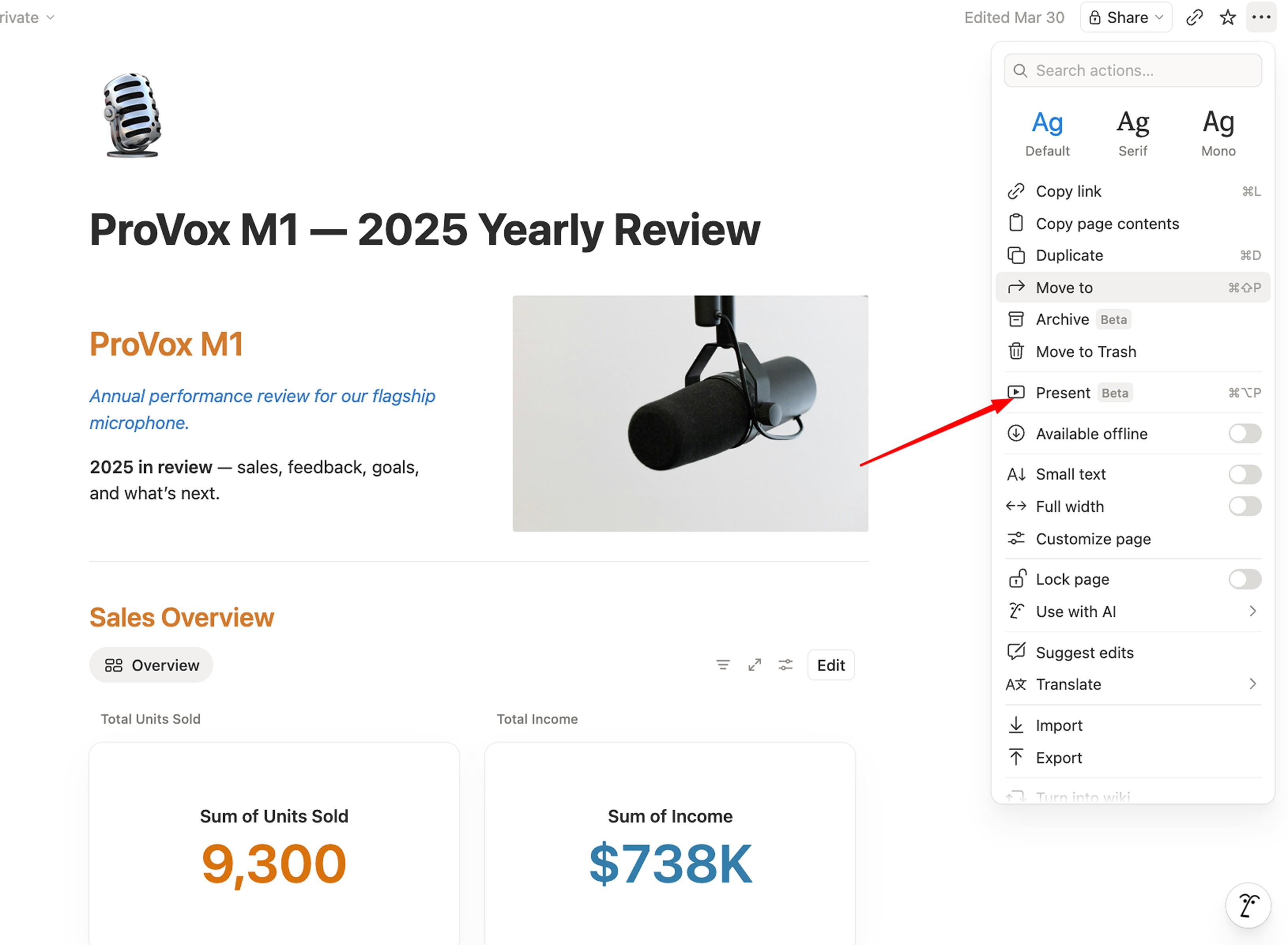
Step 4. Open the menu and hit Present
Top right of the page, click the three dots (•••) and select Present.
Shortcut: Cmd + Option + P on Mac. Ctrl + Alt + P on Windows.
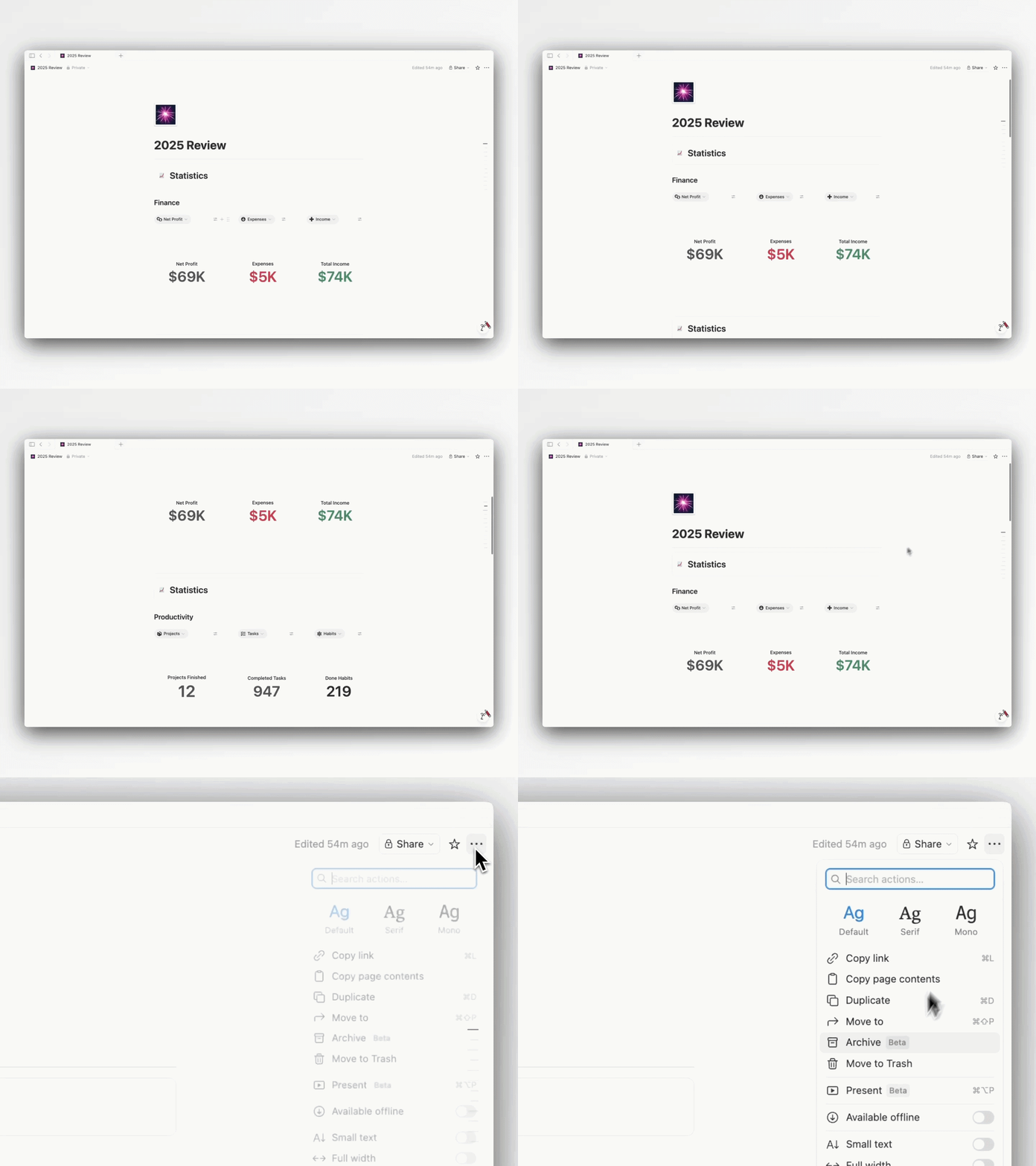
That is it. You are presenting from Notion. Use arrow keys to move between slides.
Important notes for beginners
A few things to know before you present:
Your page title and icon are always the first slide. You do not add them manually.
Empty space between dividers does not create blank slides. Only sections with real content show up.
Every block type works inside a slide — text, images, callouts, columns, tables, embeds, toggles.
Presentation Mode is available on Plus plans and above. Free plans cannot present.
Your slides update in real time. Edit the page and the deck updates instantly. No re-exporting.
If your slides look cramped, break them into more sections with more dividers. One idea per slide.
Real examples you can steal
Here are a few setups that look clean in Presentation Mode. Use them as inspiration.
1. A modern 2025 resume
Your resume as a live, scrollable deck. Hit present in an interview and walk them through it section by section.
Source: https://x.com/NotionPlay
2. La Maison — restaurant menu
A digital menu built in Notion.

3. A product one-pager
Hero → features → pricing → CTA. Each on its own slide. Perfect for a quick pitch or a product drop.
Your Next Action
If you’re still new to Notion and you’re not ready to spend hundreds of hours building your own personal system from scratch, I’ve spent over 6 years building this one.
It worked for me and for hundreds of others. Grab Second Brain 7.0 today (7.0 dropping soon) — currently 30% off.
👉 olsnotion.com/secondbrain