Notion
Notion
How to Make a Streak in Notion for Habits, Journal and Tasks
How to Make a Streak in Notion for Habits, Journal and Tasks
How to Make a Streak in Notion for Habits, Journal and Tasks
How to Make a Streak in Notion for Habits, Journal and Tasks

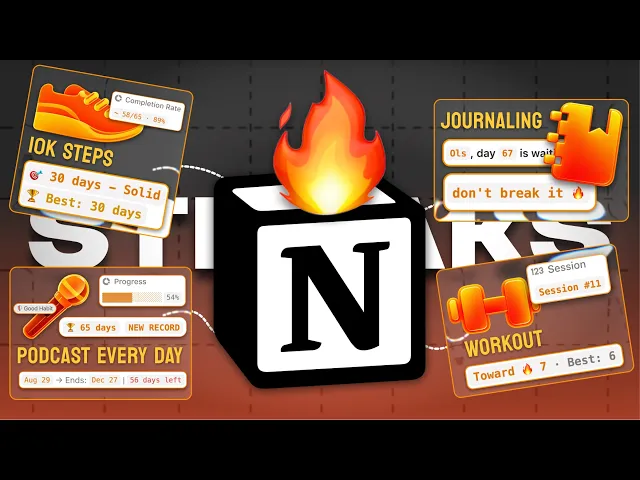
Four streak systems, built from scratch
A streak looks like the easiest thing in the world to build. Count the days in a row. Done.
Then you try it in Notion and you find out that a habit row for today has no idea what yesterday's row did. Each row sits there on its own, blind, and counting days in a row is exactly the one thing a database full of separate rows cannot do by itself.
So we are building four streak systems today, and they solve that blindness in different ways depending on what you are tracking. Habits, journaling, recurring tasks, and streak challenges with rewards attached.
Every database, every formula, every button and every automation is in here. Build the first one properly and the rest get easy, because three of them run on the same trick.
The trick that repeats
Three of the four use the same move, so it is worth understanding once rather than four times.
You turn each past day into the word true or false, glue them into one long string separated by commas, then cut the run of trues off the end and measure how much got cut. Divide by 5, because true, is five characters long.
That is the whole thing. A streak becomes a string-length subtraction.
The habit formula is the exception. It works with day-gap numbers instead, and I will explain why when we get there.
1. Habit streak

Two databases, both inline on one page. This is the one to read properly, because the next two build on it.
Database: Habits
One row per habit per day. The same habit name repeats across many rows, and that repetition is how it tracks over time.
Property | Type | Notes |
|---|---|---|
Name | Title | must be identical across days of the same habit, the formula matches on it |
Date | Date | the day this row represents |
Done | Checkbox | did you do it |
Habit Pulse | Relation → Habit Pulse | two-way |
Streak | Formula | lives here, not on the Pulse |
Add a page template per habit, so Reading, Cold Shower and Journaling each come with the name and relation already filled in.
Database: Habit Pulse

Property | Type | Notes |
|---|---|---|
Name | Title | one single row, call it anything |
Habits | Relation → Habits | two-way, holds every habit row |
Why the Pulse exists
This is the part that matters.
A habit day does not know about other habit days. Row 41 has no idea what row 40 did. The Pulse is one single row that every habit row connects to, so any row can reach up through it and see the entire history.
That is it. One row, used as a doorway.
The streak formula
This goes on the Habits database.
lets(
  /* Count completed days backwards from this entry's date, not today. */
  habit, prop("Name"),
  entryDate, if(empty(prop("Date")), today(), parseDate(formatDate(prop("Date"), "YYYY-MM-DD"))),
  days, prop("Habit Pulse").first().prop("Habits")
    .filter(current.prop("Name") == habit and current.prop("Done") and not empty(current.prop("Date")))
    .map(dateBetween(entryDate, parseDate(formatDate(current.prop("Date"), "YYYY-MM-DD")), "days"))
    .filter(current >= 0)
    .unique()
    .sort(),
  /* A missed entry shows zero; otherwise stop at the first missing day. */
  streak, if(not prop("Done") or empty(prop("Date")) or not days.includes(0), 0,
    days.map(let(n, current,
      if(days.filter(current <= n).length() == n + 1, n + 1, 0)
    )).max()
  ),
  style("Streak", "b", "c", "orange") + ": " + format(streak)
)
How it reads, step by step
habit is the name on this row. The Pulse holds every habit, so the formula needs to know which one it is counting.
entryDate is the date on this row. The streak is calculated from this date, not from today.
days goes up to the Pulse, back down to every habit row, and keeps only the rows matching this habit name that are checked Done.
.map(dateBetween(…)) turns each completed date into a number relative to this row’s date: 0 is this row’s date, 1 is the day before, and so on. Dates after this row are removed.
.unique().sort() removes duplicates and puts the numbers in order.
streak shows 0 if this row isn’t Done or has no date. Otherwise, it checks each day working backwards: if the number of entries matches the length of the range, the run is unbroken. If there’s a gap, that result is 0. Then .max() takes the longest unbroken run ending on this row’s date.
9:10 AM
⚠️ The 9am problem. This is why
shiftexists. Without it, you open Notion at 9am, you have not done your habit yet today, and your streak reads zero. Forty days of work, gone from the screen, because the day is not finished. The shift starts counting from yesterday when today is still empty, so your streak holds until the day actually ends. Both the habit build and the journal build solve this, in two different ways.
2. Journal streak

Same Pulse pattern, shorter formula. This one uses the text method from earlier.
Database: Journal
Property | Type | Notes |
|---|---|---|
Day | Title | |
Date | Date | |
Logged | Checkbox | the thing the streak counts |
Mood | Select | Great / Good / Neutral / Rough / Frustrated |
Score | Select | 1 to 10 |
Pulse | Relation → Journal Pulse | two-way |
Log | Button | sets Logged to checked |
Streak | Formula |
Pin Date, Mood, Score and the Log button under the title. Logged can sit in the sidebar.
Database: Journal Pulse

Property | Type | Notes |
|---|---|---|
Name | Title | one row |
journals | Relation → Journal | two-way |
The streak formula
This goes on the Journal database.
let(
  entries,
  Pulse.first().journals
    .filter(current.Date < today() or current.Logged)
    .sort(current.Date),
  log,
  entries.map(format(current.Logged)).join(","),
  run,
  length(log) - length(replaceAll(log, "(true,)*(true)$", "")),
  streak,
  round(run / 5),
  style("🔥 " + format(streak) + " days", "orange", "b")
)
How it reads
entries goes through the Pulse to every journal row. It keeps the past days, or anything already logged. Same early-morning protection as the habits, done with a filter instead of a shift.
.sort(current.Date) puts them oldest first. This is required, not cosmetic, because the cut only works if the most recent day sits at the end of the string.
log turns each entry into
trueorfalseand joins them with commas, so you end up with something liketrue,true,false,true,true.run uses
replaceAllto strip the run of trues at the end, stopping at the first false. Subtract the lengths to see how much was removed.streak divides that by 5.
Worth noticing: habits and journal solve the same problem two completely different ways. Habits counts day-gap numbers, journal converts to text and cuts the end. Both are valid. The text method is shorter to write, the number method handles multiple habits living in one database.
3. Recurring task streak

No Pulse this time. A recurring task is its own parent, and it collects its own completed copies through a self-relation. This is the most original of the four and the one nobody else covers.
Database: Tasks
Property | Type | Notes |
|---|---|---|
Name | Title | |
Status | Status | To Do · In Progress · Missed · Done. Missed and Done both go in the complete group |
Done | Checkbox | separate from Status, drives the automation |
Due | Date | |
Energy | Select | High / Mid / Light |
Every | Number | how many cycles between repeats |
Cycle | Select | Days / Weeks / Months / Years |
Next Due | Formula | Due moved forward by Every × Cycle |
History | Relation → itself | self-relation, no limit. This is the whole trick |
Completed | Date | set by the automation |
Streak | Formula |
The self-relation
History points at the Tasks database itself.
When you complete today's task, the automation creates the next one and links it back. Over time the live task holds every version of itself that came before, every time you did it and every time you did not. That is the memory a normal recurring task does not have.
The Automation

Trigger, when all occur:
Every ≥ 1
Status set to Complete (the group, so Done and Missed both fire it)
Do — add page to Tasks:
Field | Value |
|---|---|
Name | Trigger page → Name |
Status | Trigger page → Status |
Energy | Trigger page → Energy |
Due | Trigger page → Due |
Done | Trigger page → Done |
History | Trigger page |
Completed | Time triggered |
Then, on the trigger page: set Status to To Do, set Due to Next Due, set Done to unchecked.
⚠️ Read this part carefully, it is where people get it wrong. In this build the new page is the archived copy. It carries Completed and links to History, while the original row stays alive with its Due pushed forward. Because History is a two-way self-relation, linking the copy to the trigger page also back-links it onto the live row, so the live row accumulates every copy. If you instead build it so the new page is the next occurrence, you have to pass History both
Trigger pageandTrigger page → History, or the chain will only ever hold one link and your streak caps at 1.
The streak formula
This goes on the Tasks database.
if(
  not empty(Completed),
  "",
  let(
    hist,
    History
      .filter(not empty(current.Completed))
      .sort(current.Completed),
    let(
      marks,
      hist.map(format(format(current.Status) == "Done")).join(","),
      let(
        run,
        round((length(marks) - length(replaceAll(marks, "(true,)*(true)$", ""))) / 5),
        if(run == 0, "No streak yet", "🔥 " + format(run))
      )
    )
  )
)
How it reads
The first line checks if this row has a Completed date. If it does, it is an archived copy, so it shows nothing. The streak only appears on the task that is still live. Without this, every row in the archive displays its own streak and the database becomes noise.
hist is the past copies that actually closed out, sorted by when they were completed.
marks turns each one into true or false. Done is true, Missed is false.
run is the same cut and divide as the journal.
⚠️ The gotcha worth knowing.
current.Status == "Done"on a status property can return empty rather than false, andformat()of empty gives you an empty string. So your joined line comes out astrue,,trueand the character math breaks. Wrapping it asformat(format(current.Status) == "Done")forces it to text first and fixes it. If your task streak is returning nonsense, this is almost certainly why.
Next Due formula
lets(
  unit,
  ifs(
    Cycle == "Weeks", "weeks",
    Cycle == "Months", "months",
    Cycle == "Years", "years",
    "days"
  ),
  dateAdd(Due, Every, unit)
)
A unit variable turns the Cycle select into the text dateAdd expects, with days as the fallback. Then the due date moves forward by Every of that unit.
4. Streak challenges and rewards


The last one works completely differently. It counts forward instead of backward, it has no history and no per-day tracking at all. The entire system runs on one date and one subtraction.
Two databases on one page.
Database: Streak Challenges
Property | Type | Notes |
|---|---|---|
Challenge | Title | |
Type | Select | Build (green) / Quit (red) |
Duration | Number | how many days |
Start | Date | set by the button, never typed |
Started | Checkbox | latch, the challenge is live |
Trys | Number | how many times you have started it |
Slip Date | Date | last reset |
Reward | Relation → Rewards | two-way |
Reward Claimed | Checkbox | set from the Rewards side |
Run | Formula | |
Won | Formula | |
Can Slip | Formula | |
Progress | Formula | display |
Start Challenge | Button | |
Slip | Button |
Pin Start Challenge, Progress and Slip under the title. Split the rest into a Details section with Duration, Type and Reward, and a Backend section for everything else.
The formulas
Run
if(empty(Start), 0, dateBetween(now(), Start, "days"))
No start date means it has not started, so zero. Otherwise the days between the start and today. That is the whole engine. No checkboxes, no daily rows.
Won
if(empty(Duration), false, Run >= Duration)
Can Slip
if(Started, if(Won, false, true), false)
Is this challenge live right now? Not started, no. Already won, no. Otherwise yes. It exists so the Slip button has something to gate on.
Progress
ifs(
  not Started, style("Not started", "gray"),
  Reward Claimed, style("✓ Claimed", "b", "green"),
  Won, style("🎁 Claim your reward", "b", "green"),
  true,
    let(pct, min(1, Run / Duration),
      let(filled, floor(pct * 10),
        style(repeat("■", filled) + repeat("□", 10 - filled)
          + "  " + format(round(pct * 100)) + "%", "b", "orange")
        + style("   ·   try " + format(Trys), "gray")
      )
    )
)
Four states in one property: not started, then the bar filling with your try count beside it, then claim your reward, then claimed.
Note the order. Claimed is checked before Won, otherwise a finished challenge keeps telling you to claim a reward you already took.
Database: Rewards

Property | Type | Notes |
|---|---|---|
Reward | Title | something you actually want |
Streak Challenge | Relation → Streak Challenges | two-way |
Won | Rollup | Relation: Streak Challenge · Property: Won · Calculate: Show original |
Claimed | Checkbox | |
Lock | Formula | |
Claim | Button |
Lock
ifs(
  empty(Streak Challenge), style("No challenge", "gray"),
  Claimed, style("✓ Claimed", "b", "green"),
  contains(format(Won), "true"), style("🔓 Unlocked", "b", "green"),
  true, style("🔒 Locked", "gray")
)
⚠️ The second gotcha, and this is the one most likely to break for you.
Wonhere is a rollup of a formula, and "show original" returns a list rather than a clean boolean. Soif(Won, ...)never fires, even on a challenge you definitely finished. Wrapping it ascontains(format(Won), "true")turns it into text and checks for the word. If your reward stays locked after winning, that is the reason.
The buttons
Start Challenge, on Streak Challenges

No variables. One Edit → This page block.
Property | Value |
|---|---|
Start |
|
Started | checked |
Trys |
|
That first line is why pressing the button twice does not destroy a running challenge. If a start date already exists, it writes the same value back.
Slip, on Streak Challenges

Define variables:
Condition = if(This page.Can Slip == true, true, false)
Edit → This page:
Property | Value |
|---|---|
Start |
|
Trys |
|
Slip Date |
|
💡 The idea behind every button here. Notion has no disabled state for buttons. So instead of trying to block the press, every field writes its own current value back when the condition is false. The button fires, and nothing changes. That is how both the Slip and the Claim buttons are locked.
Claim, on Rewards

Define variables:
Challenge Page = This page.Streak Challenge
Edit → This page:
Claimed = if(empty(This page.Won), This page.Claimed,
            if(contains(format(This page.Won), "true"), true, This page.Claimed))
Edit → Challenge Page:
Reward Claimed = if(empty(Challenge Page), false,
                   if(empty(This page.Won), Challenge Page.first().Reward Claimed,
                     if(contains(format(This page.Won), "true"), true,
                       Challenge Page.first().Reward Claimed)))
The empty() checks have to come first, or Notion warns about calling a function on a value that might be empty. The second action reaches across the relation and ticks the challenge too, which is what flips Progress over to Claimed.
Pick the one you need
If you are tracking several habits in one database, build the first one. If it is one thing a day like journaling, the second is shorter. If it is a recurring task, the third gives it a memory it has never had. And if you want a deadline with something waiting at the end of it, build the fourth.

All four of these run inside SB7, wired into the rest of it, so a streak you keep feeds your character and a streak you break costs you something real.
You can build them yourself from this page, all of it is here. The question is whether you want to spend your weekends debugging format(format(...)) instead of using the thing.
→ Get SB7
Four streak systems, built from scratch
A streak looks like the easiest thing in the world to build. Count the days in a row. Done.
Then you try it in Notion and you find out that a habit row for today has no idea what yesterday's row did. Each row sits there on its own, blind, and counting days in a row is exactly the one thing a database full of separate rows cannot do by itself.
So we are building four streak systems today, and they solve that blindness in different ways depending on what you are tracking. Habits, journaling, recurring tasks, and streak challenges with rewards attached.
Every database, every formula, every button and every automation is in here. Build the first one properly and the rest get easy, because three of them run on the same trick.
The trick that repeats
Three of the four use the same move, so it is worth understanding once rather than four times.
You turn each past day into the word true or false, glue them into one long string separated by commas, then cut the run of trues off the end and measure how much got cut. Divide by 5, because true, is five characters long.
That is the whole thing. A streak becomes a string-length subtraction.
The habit formula is the exception. It works with day-gap numbers instead, and I will explain why when we get there.
1. Habit streak
Two databases, both inline on one page. This is the one to read properly, because the next two build on it.
Database: Habits
One row per habit per day. The same habit name repeats across many rows, and that repetition is how it tracks over time.
Property | Type | Notes |
|---|---|---|
Name | Title | must be identical across days of the same habit, the formula matches on it |
Date | Date | the day this row represents |
Done | Checkbox | did you do it |
Habit Pulse | Relation → Habit Pulse | two-way |
Streak | Formula | lives here, not on the Pulse |
Add a page template per habit, so Reading, Cold Shower and Journaling each come with the name and relation already filled in.
Database: Habit Pulse
Property | Type | Notes |
|---|---|---|
Name | Title | one single row, call it anything |
Habits | Relation → Habits | two-way, holds every habit row |
Why the Pulse exists
This is the part that matters.
A habit day does not know about other habit days. Row 41 has no idea what row 40 did. The Pulse is one single row that every habit row connects to, so any row can reach up through it and see the entire history.
That is it. One row, used as a doorway.
The streak formula
This goes on the Habits database.
lets(
  /* Count completed days backwards from this entry's date, not today. */
  habit, prop("Name"),
  entryDate, if(empty(prop("Date")), today(), parseDate(formatDate(prop("Date"), "YYYY-MM-DD"))),
  days, prop("Habit Pulse").first().prop("Habits")
    .filter(current.prop("Name") == habit and current.prop("Done") and not empty(current.prop("Date")))
    .map(dateBetween(entryDate, parseDate(formatDate(current.prop("Date"), "YYYY-MM-DD")), "days"))
    .filter(current >= 0)
    .unique()
    .sort(),
  /* A missed entry shows zero; otherwise stop at the first missing day. */
  streak, if(not prop("Done") or empty(prop("Date")) or not days.includes(0), 0,
    days.map(let(n, current,
      if(days.filter(current <= n).length() == n + 1, n + 1, 0)
    )).max()
  ),
  style("Streak", "b", "c", "orange") + ": " + format(streak)
)
How it reads, step by step
habit is the name on this row. The Pulse holds every habit, so the formula needs to know which one it is counting.
entryDate is the date on this row. The streak is calculated from this date, not from today.
days goes up to the Pulse, back down to every habit row, and keeps only the rows matching this habit name that are checked Done.
.map(dateBetween(…)) turns each completed date into a number relative to this row’s date: 0 is this row’s date, 1 is the day before, and so on. Dates after this row are removed.
.unique().sort() removes duplicates and puts the numbers in order.
streak shows 0 if this row isn’t Done or has no date. Otherwise, it checks each day working backwards: if the number of entries matches the length of the range, the run is unbroken. If there’s a gap, that result is 0. Then .max() takes the longest unbroken run ending on this row’s date.
9:10 AM
⚠️ The 9am problem. This is why
shiftexists. Without it, you open Notion at 9am, you have not done your habit yet today, and your streak reads zero. Forty days of work, gone from the screen, because the day is not finished. The shift starts counting from yesterday when today is still empty, so your streak holds until the day actually ends. Both the habit build and the journal build solve this, in two different ways.
2. Journal streak
Same Pulse pattern, shorter formula. This one uses the text method from earlier.
Database: Journal
Property | Type | Notes |
|---|---|---|
Day | Title | |
Date | Date | |
Logged | Checkbox | the thing the streak counts |
Mood | Select | Great / Good / Neutral / Rough / Frustrated |
Score | Select | 1 to 10 |
Pulse | Relation → Journal Pulse | two-way |
Log | Button | sets Logged to checked |
Streak | Formula |
Pin Date, Mood, Score and the Log button under the title. Logged can sit in the sidebar.
Database: Journal Pulse
Property | Type | Notes |
|---|---|---|
Name | Title | one row |
journals | Relation → Journal | two-way |
The streak formula
This goes on the Journal database.
let(
  entries,
  Pulse.first().journals
    .filter(current.Date < today() or current.Logged)
    .sort(current.Date),
  log,
  entries.map(format(current.Logged)).join(","),
  run,
  length(log) - length(replaceAll(log, "(true,)*(true)$", "")),
  streak,
  round(run / 5),
  style("🔥 " + format(streak) + " days", "orange", "b")
)
How it reads
entries goes through the Pulse to every journal row. It keeps the past days, or anything already logged. Same early-morning protection as the habits, done with a filter instead of a shift.
.sort(current.Date) puts them oldest first. This is required, not cosmetic, because the cut only works if the most recent day sits at the end of the string.
log turns each entry into
trueorfalseand joins them with commas, so you end up with something liketrue,true,false,true,true.run uses
replaceAllto strip the run of trues at the end, stopping at the first false. Subtract the lengths to see how much was removed.streak divides that by 5.
Worth noticing: habits and journal solve the same problem two completely different ways. Habits counts day-gap numbers, journal converts to text and cuts the end. Both are valid. The text method is shorter to write, the number method handles multiple habits living in one database.
3. Recurring task streak
No Pulse this time. A recurring task is its own parent, and it collects its own completed copies through a self-relation. This is the most original of the four and the one nobody else covers.
Database: Tasks
Property | Type | Notes |
|---|---|---|
Name | Title | |
Status | Status | To Do · In Progress · Missed · Done. Missed and Done both go in the complete group |
Done | Checkbox | separate from Status, drives the automation |
Due | Date | |
Energy | Select | High / Mid / Light |
Every | Number | how many cycles between repeats |
Cycle | Select | Days / Weeks / Months / Years |
Next Due | Formula | Due moved forward by Every × Cycle |
History | Relation → itself | self-relation, no limit. This is the whole trick |
Completed | Date | set by the automation |
Streak | Formula |
The self-relation
History points at the Tasks database itself.
When you complete today's task, the automation creates the next one and links it back. Over time the live task holds every version of itself that came before, every time you did it and every time you did not. That is the memory a normal recurring task does not have.
The Automation
Trigger, when all occur:
Every ≥ 1
Status set to Complete (the group, so Done and Missed both fire it)
Do — add page to Tasks:
Field | Value |
|---|---|
Name | Trigger page → Name |
Status | Trigger page → Status |
Energy | Trigger page → Energy |
Due | Trigger page → Due |
Done | Trigger page → Done |
History | Trigger page |
Completed | Time triggered |
Then, on the trigger page: set Status to To Do, set Due to Next Due, set Done to unchecked.
⚠️ Read this part carefully, it is where people get it wrong. In this build the new page is the archived copy. It carries Completed and links to History, while the original row stays alive with its Due pushed forward. Because History is a two-way self-relation, linking the copy to the trigger page also back-links it onto the live row, so the live row accumulates every copy. If you instead build it so the new page is the next occurrence, you have to pass History both
Trigger pageandTrigger page → History, or the chain will only ever hold one link and your streak caps at 1.
The streak formula
This goes on the Tasks database.
if(
  not empty(Completed),
  "",
  let(
    hist,
    History
      .filter(not empty(current.Completed))
      .sort(current.Completed),
    let(
      marks,
      hist.map(format(format(current.Status) == "Done")).join(","),
      let(
        run,
        round((length(marks) - length(replaceAll(marks, "(true,)*(true)$", ""))) / 5),
        if(run == 0, "No streak yet", "🔥 " + format(run))
      )
    )
  )
)
How it reads
The first line checks if this row has a Completed date. If it does, it is an archived copy, so it shows nothing. The streak only appears on the task that is still live. Without this, every row in the archive displays its own streak and the database becomes noise.
hist is the past copies that actually closed out, sorted by when they were completed.
marks turns each one into true or false. Done is true, Missed is false.
run is the same cut and divide as the journal.
⚠️ The gotcha worth knowing.
current.Status == "Done"on a status property can return empty rather than false, andformat()of empty gives you an empty string. So your joined line comes out astrue,,trueand the character math breaks. Wrapping it asformat(format(current.Status) == "Done")forces it to text first and fixes it. If your task streak is returning nonsense, this is almost certainly why.
Next Due formula
lets(
  unit,
  ifs(
    Cycle == "Weeks", "weeks",
    Cycle == "Months", "months",
    Cycle == "Years", "years",
    "days"
  ),
  dateAdd(Due, Every, unit)
)
A unit variable turns the Cycle select into the text dateAdd expects, with days as the fallback. Then the due date moves forward by Every of that unit.
4. Streak challenges and rewards
The last one works completely differently. It counts forward instead of backward, it has no history and no per-day tracking at all. The entire system runs on one date and one subtraction.
Two databases on one page.
Database: Streak Challenges
Property | Type | Notes |
|---|---|---|
Challenge | Title | |
Type | Select | Build (green) / Quit (red) |
Duration | Number | how many days |
Start | Date | set by the button, never typed |
Started | Checkbox | latch, the challenge is live |
Trys | Number | how many times you have started it |
Slip Date | Date | last reset |
Reward | Relation → Rewards | two-way |
Reward Claimed | Checkbox | set from the Rewards side |
Run | Formula | |
Won | Formula | |
Can Slip | Formula | |
Progress | Formula | display |
Start Challenge | Button | |
Slip | Button |
Pin Start Challenge, Progress and Slip under the title. Split the rest into a Details section with Duration, Type and Reward, and a Backend section for everything else.
The formulas
Run
if(empty(Start), 0, dateBetween(now(), Start, "days"))
No start date means it has not started, so zero. Otherwise the days between the start and today. That is the whole engine. No checkboxes, no daily rows.
Won
if(empty(Duration), false, Run >= Duration)
Can Slip
if(Started, if(Won, false, true), false)
Is this challenge live right now? Not started, no. Already won, no. Otherwise yes. It exists so the Slip button has something to gate on.
Progress
ifs(
  not Started, style("Not started", "gray"),
  Reward Claimed, style("✓ Claimed", "b", "green"),
  Won, style("🎁 Claim your reward", "b", "green"),
  true,
    let(pct, min(1, Run / Duration),
      let(filled, floor(pct * 10),
        style(repeat("■", filled) + repeat("□", 10 - filled)
          + "  " + format(round(pct * 100)) + "%", "b", "orange")
        + style("   ·   try " + format(Trys), "gray")
      )
    )
)
Four states in one property: not started, then the bar filling with your try count beside it, then claim your reward, then claimed.
Note the order. Claimed is checked before Won, otherwise a finished challenge keeps telling you to claim a reward you already took.
Database: Rewards
Property | Type | Notes |
|---|---|---|
Reward | Title | something you actually want |
Streak Challenge | Relation → Streak Challenges | two-way |
Won | Rollup | Relation: Streak Challenge · Property: Won · Calculate: Show original |
Claimed | Checkbox | |
Lock | Formula | |
Claim | Button |
Lock
ifs(
  empty(Streak Challenge), style("No challenge", "gray"),
  Claimed, style("✓ Claimed", "b", "green"),
  contains(format(Won), "true"), style("🔓 Unlocked", "b", "green"),
  true, style("🔒 Locked", "gray")
)
⚠️ The second gotcha, and this is the one most likely to break for you.
Wonhere is a rollup of a formula, and "show original" returns a list rather than a clean boolean. Soif(Won, ...)never fires, even on a challenge you definitely finished. Wrapping it ascontains(format(Won), "true")turns it into text and checks for the word. If your reward stays locked after winning, that is the reason.
The buttons
Start Challenge, on Streak Challenges
No variables. One Edit → This page block.
Property | Value |
|---|---|
Start |
|
Started | checked |
Trys |
|
That first line is why pressing the button twice does not destroy a running challenge. If a start date already exists, it writes the same value back.
Slip, on Streak Challenges
Define variables:
Condition = if(This page.Can Slip == true, true, false)
Edit → This page:
Property | Value |
|---|---|
Start |
|
Trys |
|
Slip Date |
|
💡 The idea behind every button here. Notion has no disabled state for buttons. So instead of trying to block the press, every field writes its own current value back when the condition is false. The button fires, and nothing changes. That is how both the Slip and the Claim buttons are locked.
Claim, on Rewards
Define variables:
Challenge Page = This page.Streak Challenge
Edit → This page:
Claimed = if(empty(This page.Won), This page.Claimed,
            if(contains(format(This page.Won), "true"), true, This page.Claimed))
Edit → Challenge Page:
Reward Claimed = if(empty(Challenge Page), false,
                   if(empty(This page.Won), Challenge Page.first().Reward Claimed,
                     if(contains(format(This page.Won), "true"), true,
                       Challenge Page.first().Reward Claimed)))
The empty() checks have to come first, or Notion warns about calling a function on a value that might be empty. The second action reaches across the relation and ticks the challenge too, which is what flips Progress over to Claimed.
Pick the one you need
If you are tracking several habits in one database, build the first one. If it is one thing a day like journaling, the second is shorter. If it is a recurring task, the third gives it a memory it has never had. And if you want a deadline with something waiting at the end of it, build the fourth.
All four of these run inside SB7, wired into the rest of it, so a streak you keep feeds your character and a streak you break costs you something real.
You can build them yourself from this page, all of it is here. The question is whether you want to spend your weekends debugging format(format(...)) instead of using the thing.
→ Get SB7
Four streak systems, built from scratch
A streak looks like the easiest thing in the world to build. Count the days in a row. Done.
Then you try it in Notion and you find out that a habit row for today has no idea what yesterday's row did. Each row sits there on its own, blind, and counting days in a row is exactly the one thing a database full of separate rows cannot do by itself.
So we are building four streak systems today, and they solve that blindness in different ways depending on what you are tracking. Habits, journaling, recurring tasks, and streak challenges with rewards attached.
Every database, every formula, every button and every automation is in here. Build the first one properly and the rest get easy, because three of them run on the same trick.
The trick that repeats
Three of the four use the same move, so it is worth understanding once rather than four times.
You turn each past day into the word true or false, glue them into one long string separated by commas, then cut the run of trues off the end and measure how much got cut. Divide by 5, because true, is five characters long.
That is the whole thing. A streak becomes a string-length subtraction.
The habit formula is the exception. It works with day-gap numbers instead, and I will explain why when we get there.
1. Habit streak
Two databases, both inline on one page. This is the one to read properly, because the next two build on it.
Database: Habits
One row per habit per day. The same habit name repeats across many rows, and that repetition is how it tracks over time.
Property | Type | Notes |
|---|---|---|
Name | Title | must be identical across days of the same habit, the formula matches on it |
Date | Date | the day this row represents |
Done | Checkbox | did you do it |
Habit Pulse | Relation → Habit Pulse | two-way |
Streak | Formula | lives here, not on the Pulse |
Add a page template per habit, so Reading, Cold Shower and Journaling each come with the name and relation already filled in.
Database: Habit Pulse
Property | Type | Notes |
|---|---|---|
Name | Title | one single row, call it anything |
Habits | Relation → Habits | two-way, holds every habit row |
Why the Pulse exists
This is the part that matters.
A habit day does not know about other habit days. Row 41 has no idea what row 40 did. The Pulse is one single row that every habit row connects to, so any row can reach up through it and see the entire history.
That is it. One row, used as a doorway.
The streak formula
This goes on the Habits database.
lets(
  /* Count completed days backwards from this entry's date, not today. */
  habit, prop("Name"),
  entryDate, if(empty(prop("Date")), today(), parseDate(formatDate(prop("Date"), "YYYY-MM-DD"))),
  days, prop("Habit Pulse").first().prop("Habits")
    .filter(current.prop("Name") == habit and current.prop("Done") and not empty(current.prop("Date")))
    .map(dateBetween(entryDate, parseDate(formatDate(current.prop("Date"), "YYYY-MM-DD")), "days"))
    .filter(current >= 0)
    .unique()
    .sort(),
  /* A missed entry shows zero; otherwise stop at the first missing day. */
  streak, if(not prop("Done") or empty(prop("Date")) or not days.includes(0), 0,
    days.map(let(n, current,
      if(days.filter(current <= n).length() == n + 1, n + 1, 0)
    )).max()
  ),
  style("Streak", "b", "c", "orange") + ": " + format(streak)
)
How it reads, step by step
habit is the name on this row. The Pulse holds every habit, so the formula needs to know which one it is counting.
entryDate is the date on this row. The streak is calculated from this date, not from today.
days goes up to the Pulse, back down to every habit row, and keeps only the rows matching this habit name that are checked Done.
.map(dateBetween(…)) turns each completed date into a number relative to this row’s date: 0 is this row’s date, 1 is the day before, and so on. Dates after this row are removed.
.unique().sort() removes duplicates and puts the numbers in order.
streak shows 0 if this row isn’t Done or has no date. Otherwise, it checks each day working backwards: if the number of entries matches the length of the range, the run is unbroken. If there’s a gap, that result is 0. Then .max() takes the longest unbroken run ending on this row’s date.
9:10 AM
⚠️ The 9am problem. This is why
shiftexists. Without it, you open Notion at 9am, you have not done your habit yet today, and your streak reads zero. Forty days of work, gone from the screen, because the day is not finished. The shift starts counting from yesterday when today is still empty, so your streak holds until the day actually ends. Both the habit build and the journal build solve this, in two different ways.
2. Journal streak
Same Pulse pattern, shorter formula. This one uses the text method from earlier.
Database: Journal
Property | Type | Notes |
|---|---|---|
Day | Title | |
Date | Date | |
Logged | Checkbox | the thing the streak counts |
Mood | Select | Great / Good / Neutral / Rough / Frustrated |
Score | Select | 1 to 10 |
Pulse | Relation → Journal Pulse | two-way |
Log | Button | sets Logged to checked |
Streak | Formula |
Pin Date, Mood, Score and the Log button under the title. Logged can sit in the sidebar.
Database: Journal Pulse
Property | Type | Notes |
|---|---|---|
Name | Title | one row |
journals | Relation → Journal | two-way |
The streak formula
This goes on the Journal database.
let(
  entries,
  Pulse.first().journals
    .filter(current.Date < today() or current.Logged)
    .sort(current.Date),
  log,
  entries.map(format(current.Logged)).join(","),
  run,
  length(log) - length(replaceAll(log, "(true,)*(true)$", "")),
  streak,
  round(run / 5),
  style("🔥 " + format(streak) + " days", "orange", "b")
)
How it reads
entries goes through the Pulse to every journal row. It keeps the past days, or anything already logged. Same early-morning protection as the habits, done with a filter instead of a shift.
.sort(current.Date) puts them oldest first. This is required, not cosmetic, because the cut only works if the most recent day sits at the end of the string.
log turns each entry into
trueorfalseand joins them with commas, so you end up with something liketrue,true,false,true,true.run uses
replaceAllto strip the run of trues at the end, stopping at the first false. Subtract the lengths to see how much was removed.streak divides that by 5.
Worth noticing: habits and journal solve the same problem two completely different ways. Habits counts day-gap numbers, journal converts to text and cuts the end. Both are valid. The text method is shorter to write, the number method handles multiple habits living in one database.
3. Recurring task streak
No Pulse this time. A recurring task is its own parent, and it collects its own completed copies through a self-relation. This is the most original of the four and the one nobody else covers.
Database: Tasks
Property | Type | Notes |
|---|---|---|
Name | Title | |
Status | Status | To Do · In Progress · Missed · Done. Missed and Done both go in the complete group |
Done | Checkbox | separate from Status, drives the automation |
Due | Date | |
Energy | Select | High / Mid / Light |
Every | Number | how many cycles between repeats |
Cycle | Select | Days / Weeks / Months / Years |
Next Due | Formula | Due moved forward by Every × Cycle |
History | Relation → itself | self-relation, no limit. This is the whole trick |
Completed | Date | set by the automation |
Streak | Formula |
The self-relation
History points at the Tasks database itself.
When you complete today's task, the automation creates the next one and links it back. Over time the live task holds every version of itself that came before, every time you did it and every time you did not. That is the memory a normal recurring task does not have.
The Automation
Trigger, when all occur:
Every ≥ 1
Status set to Complete (the group, so Done and Missed both fire it)
Do — add page to Tasks:
Field | Value |
|---|---|
Name | Trigger page → Name |
Status | Trigger page → Status |
Energy | Trigger page → Energy |
Due | Trigger page → Due |
Done | Trigger page → Done |
History | Trigger page |
Completed | Time triggered |
Then, on the trigger page: set Status to To Do, set Due to Next Due, set Done to unchecked.
⚠️ Read this part carefully, it is where people get it wrong. In this build the new page is the archived copy. It carries Completed and links to History, while the original row stays alive with its Due pushed forward. Because History is a two-way self-relation, linking the copy to the trigger page also back-links it onto the live row, so the live row accumulates every copy. If you instead build it so the new page is the next occurrence, you have to pass History both
Trigger pageandTrigger page → History, or the chain will only ever hold one link and your streak caps at 1.
The streak formula
This goes on the Tasks database.
if(
  not empty(Completed),
  "",
  let(
    hist,
    History
      .filter(not empty(current.Completed))
      .sort(current.Completed),
    let(
      marks,
      hist.map(format(format(current.Status) == "Done")).join(","),
      let(
        run,
        round((length(marks) - length(replaceAll(marks, "(true,)*(true)$", ""))) / 5),
        if(run == 0, "No streak yet", "🔥 " + format(run))
      )
    )
  )
)
How it reads
The first line checks if this row has a Completed date. If it does, it is an archived copy, so it shows nothing. The streak only appears on the task that is still live. Without this, every row in the archive displays its own streak and the database becomes noise.
hist is the past copies that actually closed out, sorted by when they were completed.
marks turns each one into true or false. Done is true, Missed is false.
run is the same cut and divide as the journal.
⚠️ The gotcha worth knowing.
current.Status == "Done"on a status property can return empty rather than false, andformat()of empty gives you an empty string. So your joined line comes out astrue,,trueand the character math breaks. Wrapping it asformat(format(current.Status) == "Done")forces it to text first and fixes it. If your task streak is returning nonsense, this is almost certainly why.
Next Due formula
lets(
  unit,
  ifs(
    Cycle == "Weeks", "weeks",
    Cycle == "Months", "months",
    Cycle == "Years", "years",
    "days"
  ),
  dateAdd(Due, Every, unit)
)
A unit variable turns the Cycle select into the text dateAdd expects, with days as the fallback. Then the due date moves forward by Every of that unit.
4. Streak challenges and rewards
The last one works completely differently. It counts forward instead of backward, it has no history and no per-day tracking at all. The entire system runs on one date and one subtraction.
Two databases on one page.
Database: Streak Challenges
Property | Type | Notes |
|---|---|---|
Challenge | Title | |
Type | Select | Build (green) / Quit (red) |
Duration | Number | how many days |
Start | Date | set by the button, never typed |
Started | Checkbox | latch, the challenge is live |
Trys | Number | how many times you have started it |
Slip Date | Date | last reset |
Reward | Relation → Rewards | two-way |
Reward Claimed | Checkbox | set from the Rewards side |
Run | Formula | |
Won | Formula | |
Can Slip | Formula | |
Progress | Formula | display |
Start Challenge | Button | |
Slip | Button |
Pin Start Challenge, Progress and Slip under the title. Split the rest into a Details section with Duration, Type and Reward, and a Backend section for everything else.
The formulas
Run
if(empty(Start), 0, dateBetween(now(), Start, "days"))
No start date means it has not started, so zero. Otherwise the days between the start and today. That is the whole engine. No checkboxes, no daily rows.
Won
if(empty(Duration), false, Run >= Duration)
Can Slip
if(Started, if(Won, false, true), false)
Is this challenge live right now? Not started, no. Already won, no. Otherwise yes. It exists so the Slip button has something to gate on.
Progress
ifs(
  not Started, style("Not started", "gray"),
  Reward Claimed, style("✓ Claimed", "b", "green"),
  Won, style("🎁 Claim your reward", "b", "green"),
  true,
    let(pct, min(1, Run / Duration),
      let(filled, floor(pct * 10),
        style(repeat("■", filled) + repeat("□", 10 - filled)
          + "  " + format(round(pct * 100)) + "%", "b", "orange")
        + style("   ·   try " + format(Trys), "gray")
      )
    )
)
Four states in one property: not started, then the bar filling with your try count beside it, then claim your reward, then claimed.
Note the order. Claimed is checked before Won, otherwise a finished challenge keeps telling you to claim a reward you already took.
Database: Rewards
Property | Type | Notes |
|---|---|---|
Reward | Title | something you actually want |
Streak Challenge | Relation → Streak Challenges | two-way |
Won | Rollup | Relation: Streak Challenge · Property: Won · Calculate: Show original |
Claimed | Checkbox | |
Lock | Formula | |
Claim | Button |
Lock
ifs(
  empty(Streak Challenge), style("No challenge", "gray"),
  Claimed, style("✓ Claimed", "b", "green"),
  contains(format(Won), "true"), style("🔓 Unlocked", "b", "green"),
  true, style("🔒 Locked", "gray")
)
⚠️ The second gotcha, and this is the one most likely to break for you.
Wonhere is a rollup of a formula, and "show original" returns a list rather than a clean boolean. Soif(Won, ...)never fires, even on a challenge you definitely finished. Wrapping it ascontains(format(Won), "true")turns it into text and checks for the word. If your reward stays locked after winning, that is the reason.
The buttons
Start Challenge, on Streak Challenges
No variables. One Edit → This page block.
Property | Value |
|---|---|
Start |
|
Started | checked |
Trys |
|
That first line is why pressing the button twice does not destroy a running challenge. If a start date already exists, it writes the same value back.
Slip, on Streak Challenges
Define variables:
Condition = if(This page.Can Slip == true, true, false)
Edit → This page:
Property | Value |
|---|---|
Start |
|
Trys |
|
Slip Date |
|
💡 The idea behind every button here. Notion has no disabled state for buttons. So instead of trying to block the press, every field writes its own current value back when the condition is false. The button fires, and nothing changes. That is how both the Slip and the Claim buttons are locked.
Claim, on Rewards
Define variables:
Challenge Page = This page.Streak Challenge
Edit → This page:
Claimed = if(empty(This page.Won), This page.Claimed,
            if(contains(format(This page.Won), "true"), true, This page.Claimed))
Edit → Challenge Page:
Reward Claimed = if(empty(Challenge Page), false,
                   if(empty(This page.Won), Challenge Page.first().Reward Claimed,
                     if(contains(format(This page.Won), "true"), true,
                       Challenge Page.first().Reward Claimed)))
The empty() checks have to come first, or Notion warns about calling a function on a value that might be empty. The second action reaches across the relation and ticks the challenge too, which is what flips Progress over to Claimed.
Pick the one you need
If you are tracking several habits in one database, build the first one. If it is one thing a day like journaling, the second is shorter. If it is a recurring task, the third gives it a memory it has never had. And if you want a deadline with something waiting at the end of it, build the fourth.
All four of these run inside SB7, wired into the rest of it, so a streak you keep feeds your character and a streak you break costs you something real.
You can build them yourself from this page, all of it is here. The question is whether you want to spend your weekends debugging format(format(...)) instead of using the thing.
→ Get SB7
Four streak systems, built from scratch
A streak looks like the easiest thing in the world to build. Count the days in a row. Done.
Then you try it in Notion and you find out that a habit row for today has no idea what yesterday's row did. Each row sits there on its own, blind, and counting days in a row is exactly the one thing a database full of separate rows cannot do by itself.
So we are building four streak systems today, and they solve that blindness in different ways depending on what you are tracking. Habits, journaling, recurring tasks, and streak challenges with rewards attached.
Every database, every formula, every button and every automation is in here. Build the first one properly and the rest get easy, because three of them run on the same trick.
The trick that repeats
Three of the four use the same move, so it is worth understanding once rather than four times.
You turn each past day into the word true or false, glue them into one long string separated by commas, then cut the run of trues off the end and measure how much got cut. Divide by 5, because true, is five characters long.
That is the whole thing. A streak becomes a string-length subtraction.
The habit formula is the exception. It works with day-gap numbers instead, and I will explain why when we get there.
1. Habit streak
Two databases, both inline on one page. This is the one to read properly, because the next two build on it.
Database: Habits
One row per habit per day. The same habit name repeats across many rows, and that repetition is how it tracks over time.
Property | Type | Notes |
|---|---|---|
Name | Title | must be identical across days of the same habit, the formula matches on it |
Date | Date | the day this row represents |
Done | Checkbox | did you do it |
Habit Pulse | Relation → Habit Pulse | two-way |
Streak | Formula | lives here, not on the Pulse |
Add a page template per habit, so Reading, Cold Shower and Journaling each come with the name and relation already filled in.
Database: Habit Pulse
Property | Type | Notes |
|---|---|---|
Name | Title | one single row, call it anything |
Habits | Relation → Habits | two-way, holds every habit row |
Why the Pulse exists
This is the part that matters.
A habit day does not know about other habit days. Row 41 has no idea what row 40 did. The Pulse is one single row that every habit row connects to, so any row can reach up through it and see the entire history.
That is it. One row, used as a doorway.
The streak formula
This goes on the Habits database.
lets(
  /* Count completed days backwards from this entry's date, not today. */
  habit, prop("Name"),
  entryDate, if(empty(prop("Date")), today(), parseDate(formatDate(prop("Date"), "YYYY-MM-DD"))),
  days, prop("Habit Pulse").first().prop("Habits")
    .filter(current.prop("Name") == habit and current.prop("Done") and not empty(current.prop("Date")))
    .map(dateBetween(entryDate, parseDate(formatDate(current.prop("Date"), "YYYY-MM-DD")), "days"))
    .filter(current >= 0)
    .unique()
    .sort(),
  /* A missed entry shows zero; otherwise stop at the first missing day. */
  streak, if(not prop("Done") or empty(prop("Date")) or not days.includes(0), 0,
    days.map(let(n, current,
      if(days.filter(current <= n).length() == n + 1, n + 1, 0)
    )).max()
  ),
  style("Streak", "b", "c", "orange") + ": " + format(streak)
)
How it reads, step by step
habit is the name on this row. The Pulse holds every habit, so the formula needs to know which one it is counting.
entryDate is the date on this row. The streak is calculated from this date, not from today.
days goes up to the Pulse, back down to every habit row, and keeps only the rows matching this habit name that are checked Done.
.map(dateBetween(…)) turns each completed date into a number relative to this row’s date: 0 is this row’s date, 1 is the day before, and so on. Dates after this row are removed.
.unique().sort() removes duplicates and puts the numbers in order.
streak shows 0 if this row isn’t Done or has no date. Otherwise, it checks each day working backwards: if the number of entries matches the length of the range, the run is unbroken. If there’s a gap, that result is 0. Then .max() takes the longest unbroken run ending on this row’s date.
9:10 AM
⚠️ The 9am problem. This is why
shiftexists. Without it, you open Notion at 9am, you have not done your habit yet today, and your streak reads zero. Forty days of work, gone from the screen, because the day is not finished. The shift starts counting from yesterday when today is still empty, so your streak holds until the day actually ends. Both the habit build and the journal build solve this, in two different ways.
2. Journal streak
Same Pulse pattern, shorter formula. This one uses the text method from earlier.
Database: Journal
Property | Type | Notes |
|---|---|---|
Day | Title | |
Date | Date | |
Logged | Checkbox | the thing the streak counts |
Mood | Select | Great / Good / Neutral / Rough / Frustrated |
Score | Select | 1 to 10 |
Pulse | Relation → Journal Pulse | two-way |
Log | Button | sets Logged to checked |
Streak | Formula |
Pin Date, Mood, Score and the Log button under the title. Logged can sit in the sidebar.
Database: Journal Pulse
Property | Type | Notes |
|---|---|---|
Name | Title | one row |
journals | Relation → Journal | two-way |
The streak formula
This goes on the Journal database.
let(
  entries,
  Pulse.first().journals
    .filter(current.Date < today() or current.Logged)
    .sort(current.Date),
  log,
  entries.map(format(current.Logged)).join(","),
  run,
  length(log) - length(replaceAll(log, "(true,)*(true)$", "")),
  streak,
  round(run / 5),
  style("🔥 " + format(streak) + " days", "orange", "b")
)
How it reads
entries goes through the Pulse to every journal row. It keeps the past days, or anything already logged. Same early-morning protection as the habits, done with a filter instead of a shift.
.sort(current.Date) puts them oldest first. This is required, not cosmetic, because the cut only works if the most recent day sits at the end of the string.
log turns each entry into
trueorfalseand joins them with commas, so you end up with something liketrue,true,false,true,true.run uses
replaceAllto strip the run of trues at the end, stopping at the first false. Subtract the lengths to see how much was removed.streak divides that by 5.
Worth noticing: habits and journal solve the same problem two completely different ways. Habits counts day-gap numbers, journal converts to text and cuts the end. Both are valid. The text method is shorter to write, the number method handles multiple habits living in one database.
3. Recurring task streak
No Pulse this time. A recurring task is its own parent, and it collects its own completed copies through a self-relation. This is the most original of the four and the one nobody else covers.
Database: Tasks
Property | Type | Notes |
|---|---|---|
Name | Title | |
Status | Status | To Do · In Progress · Missed · Done. Missed and Done both go in the complete group |
Done | Checkbox | separate from Status, drives the automation |
Due | Date | |
Energy | Select | High / Mid / Light |
Every | Number | how many cycles between repeats |
Cycle | Select | Days / Weeks / Months / Years |
Next Due | Formula | Due moved forward by Every × Cycle |
History | Relation → itself | self-relation, no limit. This is the whole trick |
Completed | Date | set by the automation |
Streak | Formula |
The self-relation
History points at the Tasks database itself.
When you complete today's task, the automation creates the next one and links it back. Over time the live task holds every version of itself that came before, every time you did it and every time you did not. That is the memory a normal recurring task does not have.
The Automation
Trigger, when all occur:
Every ≥ 1
Status set to Complete (the group, so Done and Missed both fire it)
Do — add page to Tasks:
Field | Value |
|---|---|
Name | Trigger page → Name |
Status | Trigger page → Status |
Energy | Trigger page → Energy |
Due | Trigger page → Due |
Done | Trigger page → Done |
History | Trigger page |
Completed | Time triggered |
Then, on the trigger page: set Status to To Do, set Due to Next Due, set Done to unchecked.
⚠️ Read this part carefully, it is where people get it wrong. In this build the new page is the archived copy. It carries Completed and links to History, while the original row stays alive with its Due pushed forward. Because History is a two-way self-relation, linking the copy to the trigger page also back-links it onto the live row, so the live row accumulates every copy. If you instead build it so the new page is the next occurrence, you have to pass History both
Trigger pageandTrigger page → History, or the chain will only ever hold one link and your streak caps at 1.
The streak formula
This goes on the Tasks database.
if(
  not empty(Completed),
  "",
  let(
    hist,
    History
      .filter(not empty(current.Completed))
      .sort(current.Completed),
    let(
      marks,
      hist.map(format(format(current.Status) == "Done")).join(","),
      let(
        run,
        round((length(marks) - length(replaceAll(marks, "(true,)*(true)$", ""))) / 5),
        if(run == 0, "No streak yet", "🔥 " + format(run))
      )
    )
  )
)
How it reads
The first line checks if this row has a Completed date. If it does, it is an archived copy, so it shows nothing. The streak only appears on the task that is still live. Without this, every row in the archive displays its own streak and the database becomes noise.
hist is the past copies that actually closed out, sorted by when they were completed.
marks turns each one into true or false. Done is true, Missed is false.
run is the same cut and divide as the journal.
⚠️ The gotcha worth knowing.
current.Status == "Done"on a status property can return empty rather than false, andformat()of empty gives you an empty string. So your joined line comes out astrue,,trueand the character math breaks. Wrapping it asformat(format(current.Status) == "Done")forces it to text first and fixes it. If your task streak is returning nonsense, this is almost certainly why.
Next Due formula
lets(
  unit,
  ifs(
    Cycle == "Weeks", "weeks",
    Cycle == "Months", "months",
    Cycle == "Years", "years",
    "days"
  ),
  dateAdd(Due, Every, unit)
)
A unit variable turns the Cycle select into the text dateAdd expects, with days as the fallback. Then the due date moves forward by Every of that unit.
4. Streak challenges and rewards
The last one works completely differently. It counts forward instead of backward, it has no history and no per-day tracking at all. The entire system runs on one date and one subtraction.
Two databases on one page.
Database: Streak Challenges
Property | Type | Notes |
|---|---|---|
Challenge | Title | |
Type | Select | Build (green) / Quit (red) |
Duration | Number | how many days |
Start | Date | set by the button, never typed |
Started | Checkbox | latch, the challenge is live |
Trys | Number | how many times you have started it |
Slip Date | Date | last reset |
Reward | Relation → Rewards | two-way |
Reward Claimed | Checkbox | set from the Rewards side |
Run | Formula | |
Won | Formula | |
Can Slip | Formula | |
Progress | Formula | display |
Start Challenge | Button | |
Slip | Button |
Pin Start Challenge, Progress and Slip under the title. Split the rest into a Details section with Duration, Type and Reward, and a Backend section for everything else.
The formulas
Run
if(empty(Start), 0, dateBetween(now(), Start, "days"))
No start date means it has not started, so zero. Otherwise the days between the start and today. That is the whole engine. No checkboxes, no daily rows.
Won
if(empty(Duration), false, Run >= Duration)
Can Slip
if(Started, if(Won, false, true), false)
Is this challenge live right now? Not started, no. Already won, no. Otherwise yes. It exists so the Slip button has something to gate on.
Progress
ifs(
  not Started, style("Not started", "gray"),
  Reward Claimed, style("✓ Claimed", "b", "green"),
  Won, style("🎁 Claim your reward", "b", "green"),
  true,
    let(pct, min(1, Run / Duration),
      let(filled, floor(pct * 10),
        style(repeat("■", filled) + repeat("□", 10 - filled)
          + "  " + format(round(pct * 100)) + "%", "b", "orange")
        + style("   ·   try " + format(Trys), "gray")
      )
    )
)
Four states in one property: not started, then the bar filling with your try count beside it, then claim your reward, then claimed.
Note the order. Claimed is checked before Won, otherwise a finished challenge keeps telling you to claim a reward you already took.
Database: Rewards
Property | Type | Notes |
|---|---|---|
Reward | Title | something you actually want |
Streak Challenge | Relation → Streak Challenges | two-way |
Won | Rollup | Relation: Streak Challenge · Property: Won · Calculate: Show original |
Claimed | Checkbox | |
Lock | Formula | |
Claim | Button |
Lock
ifs(
  empty(Streak Challenge), style("No challenge", "gray"),
  Claimed, style("✓ Claimed", "b", "green"),
  contains(format(Won), "true"), style("🔓 Unlocked", "b", "green"),
  true, style("🔒 Locked", "gray")
)
⚠️ The second gotcha, and this is the one most likely to break for you.
Wonhere is a rollup of a formula, and "show original" returns a list rather than a clean boolean. Soif(Won, ...)never fires, even on a challenge you definitely finished. Wrapping it ascontains(format(Won), "true")turns it into text and checks for the word. If your reward stays locked after winning, that is the reason.
The buttons
Start Challenge, on Streak Challenges
No variables. One Edit → This page block.
Property | Value |
|---|---|
Start |
|
Started | checked |
Trys |
|
That first line is why pressing the button twice does not destroy a running challenge. If a start date already exists, it writes the same value back.
Slip, on Streak Challenges
Define variables:
Condition = if(This page.Can Slip == true, true, false)
Edit → This page:
Property | Value |
|---|---|
Start |
|
Trys |
|
Slip Date |
|
💡 The idea behind every button here. Notion has no disabled state for buttons. So instead of trying to block the press, every field writes its own current value back when the condition is false. The button fires, and nothing changes. That is how both the Slip and the Claim buttons are locked.
Claim, on Rewards
Define variables:
Challenge Page = This page.Streak Challenge
Edit → This page:
Claimed = if(empty(This page.Won), This page.Claimed,
            if(contains(format(This page.Won), "true"), true, This page.Claimed))
Edit → Challenge Page:
Reward Claimed = if(empty(Challenge Page), false,
                   if(empty(This page.Won), Challenge Page.first().Reward Claimed,
                     if(contains(format(This page.Won), "true"), true,
                       Challenge Page.first().Reward Claimed)))
The empty() checks have to come first, or Notion warns about calling a function on a value that might be empty. The second action reaches across the relation and ticks the challenge too, which is what flips Progress over to Claimed.
Pick the one you need
If you are tracking several habits in one database, build the first one. If it is one thing a day like journaling, the second is shorter. If it is a recurring task, the third gives it a memory it has never had. And if you want a deadline with something waiting at the end of it, build the fourth.
All four of these run inside SB7, wired into the rest of it, so a streak you keep feeds your character and a streak you break costs you something real.
You can build them yourself from this page, all of it is here. The question is whether you want to spend your weekends debugging format(format(...)) instead of using the thing.