Notion has been shipping fast. Most of these features landed quietly — no big launch, no email, just there one morning.
Here are 5 that are actually worth your attention. Useful ones. The kind you start using and never go back.
1. AI agent voice — speak to your agent
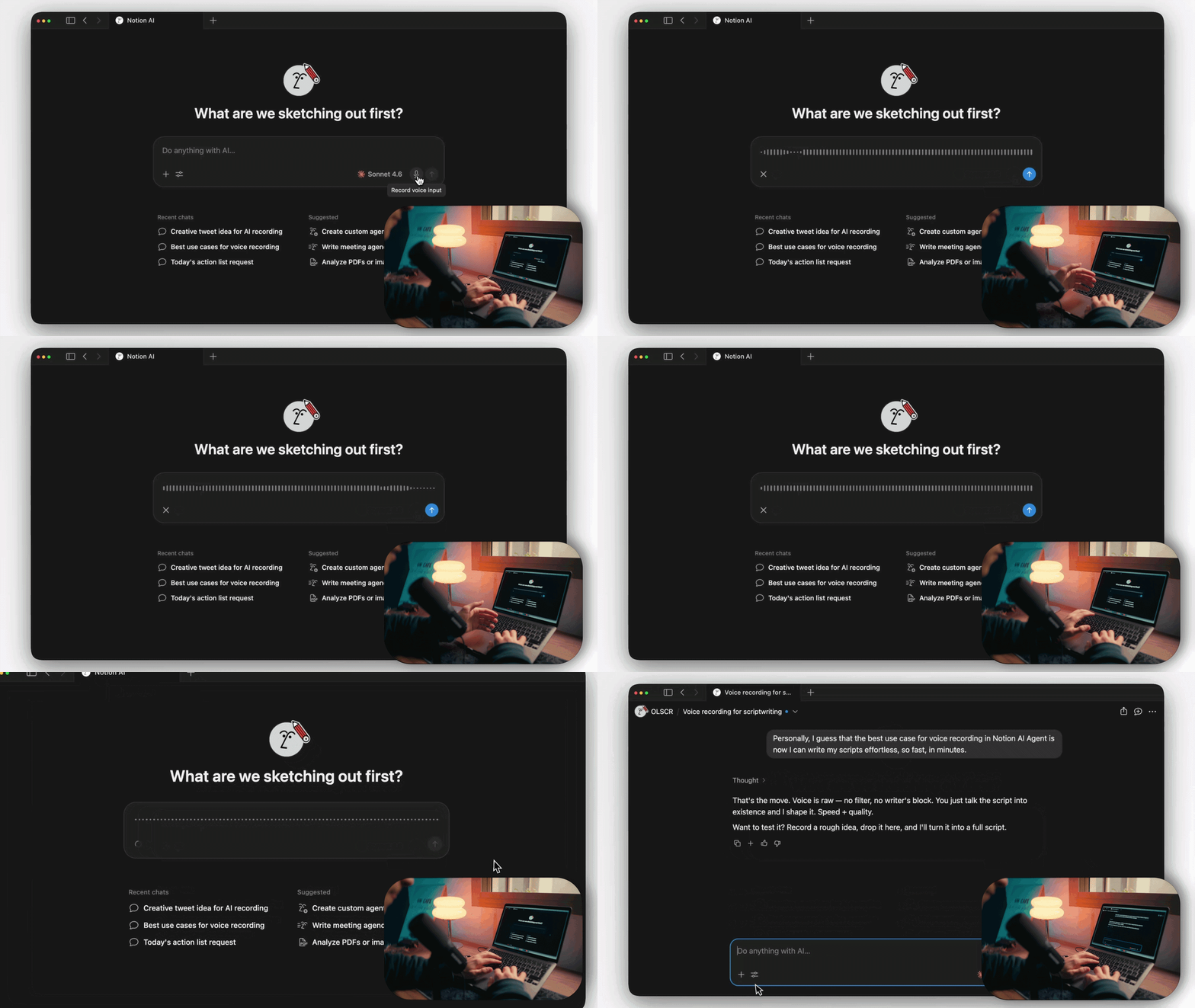
Notion AI now listens. Instead of typing your prompt, you hold the mic and just talk. Long prompts, messy ideas, brainstorming out loud — all faster spoken than typed.
Why it is useful: You explain things faster than you type. Especially when you are still figuring out what you want.
How to use it:
Open Notion AI (right sidebar or Cmd/Ctrl + J).
Click the mic icon in the prompt box.
Speak your prompt. Hit stop when done.
Notion transcribes it. Review, edit, send.
2. Database view tabs — icons, text, or both
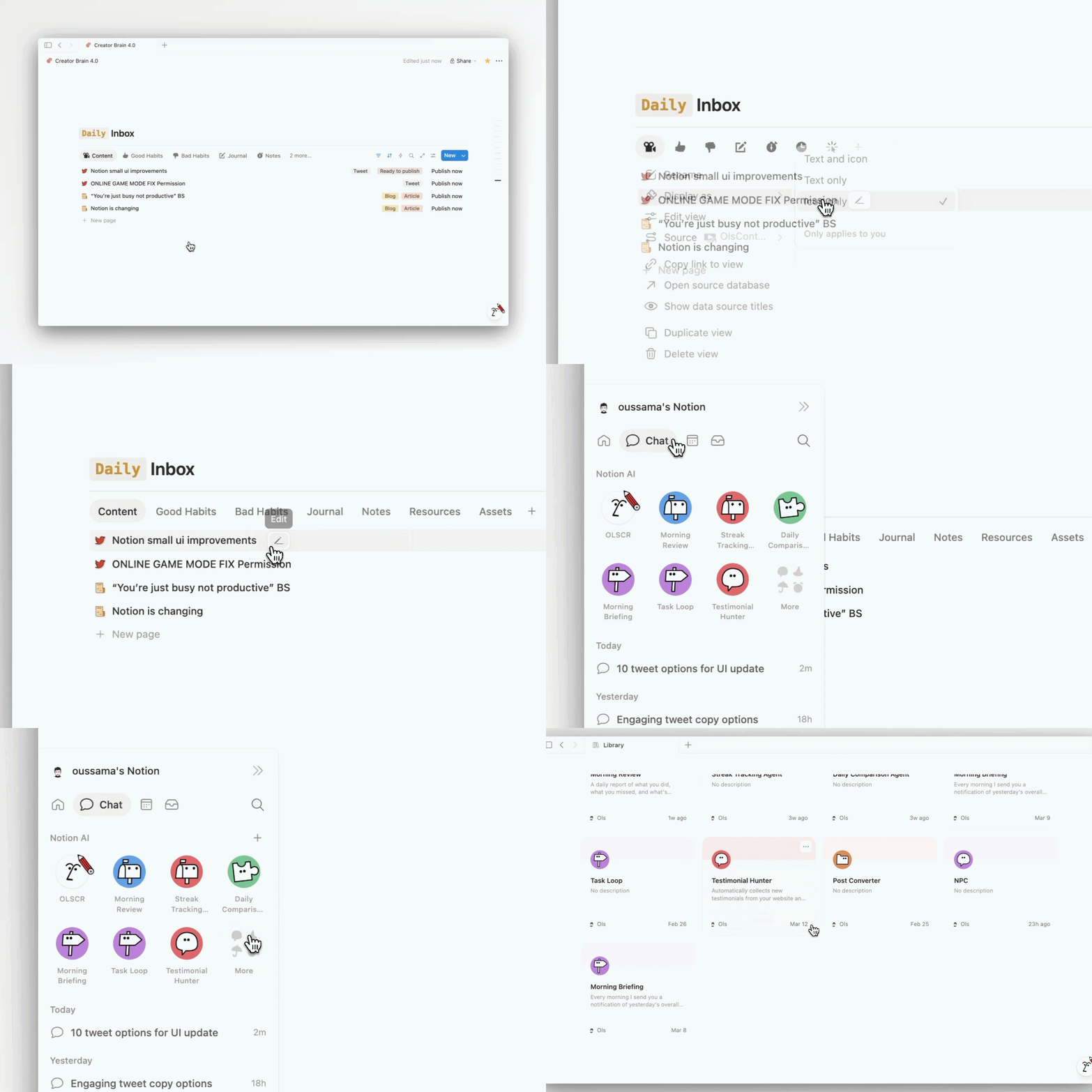
For years your database tabs only showed text. Now you choose how each tab looks: icon only, text only, or both. Tiny feature. Huge cleanup if you have 6+ views.
Why it is useful: A clean database does not fight for your attention. Icon-only looks minimal and pro. Text-only stays beginner friendly. Both works when teammates need labels.
How to use it:
Open your database.
Click on a view tab.
Select Display as.
Pick Icon only, Text only, or both.
This setting is personal — only you see your choice. It does not change how others see the database.
3. Breadcrumb hover — see sibling pages instantly
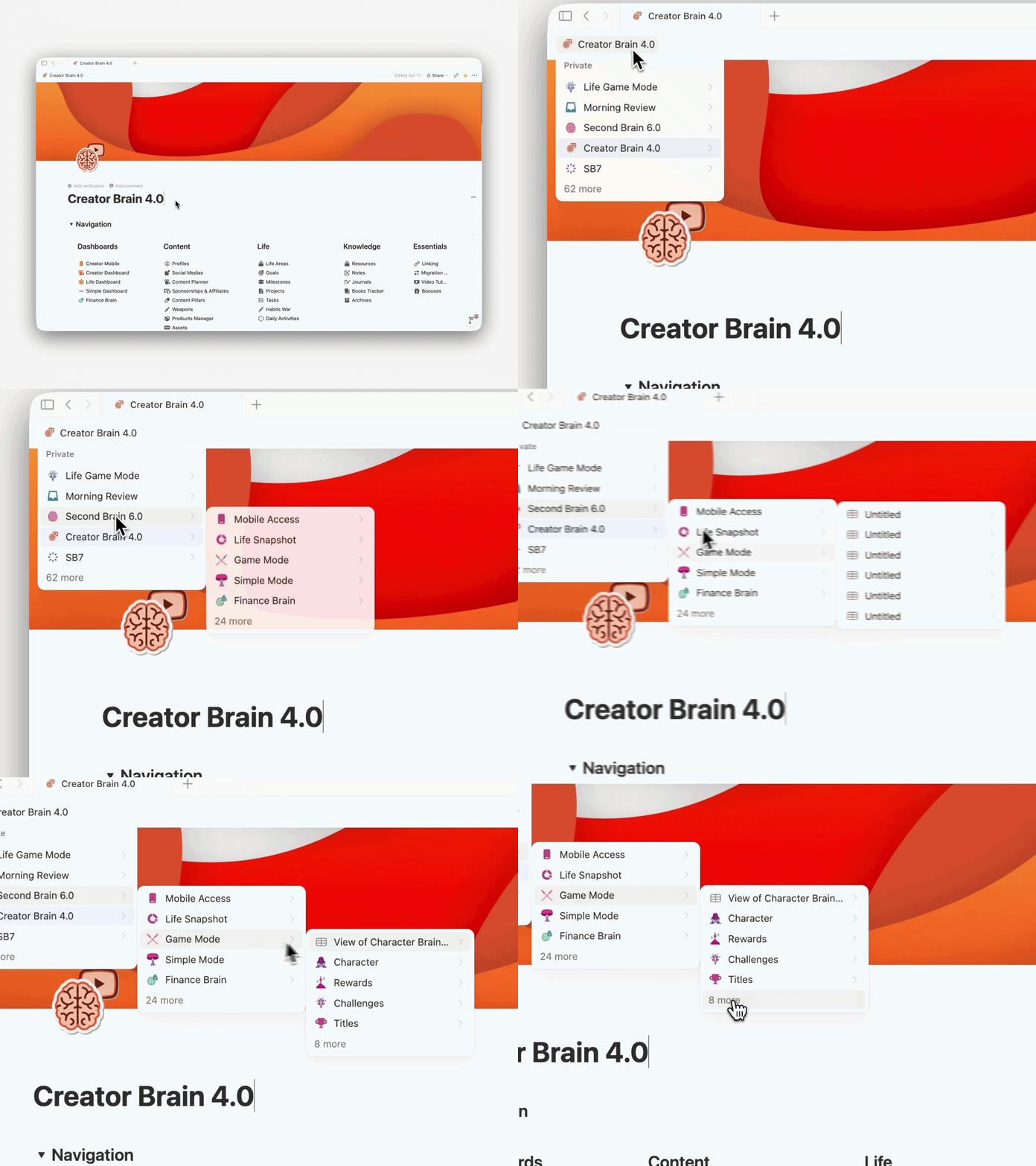
Hover over any page name in your breadcrumb and Notion now shows you the sibling pages — pages that share the same parent.
Click any of them to jump straight there.
Why it is useful: Faster navigation. No more “where is that other page I made yesterday.” Inside wikis or nested workspaces, this saves you 10 clicks a day.
4. Plan Mode — see the AI’s plan before it runs
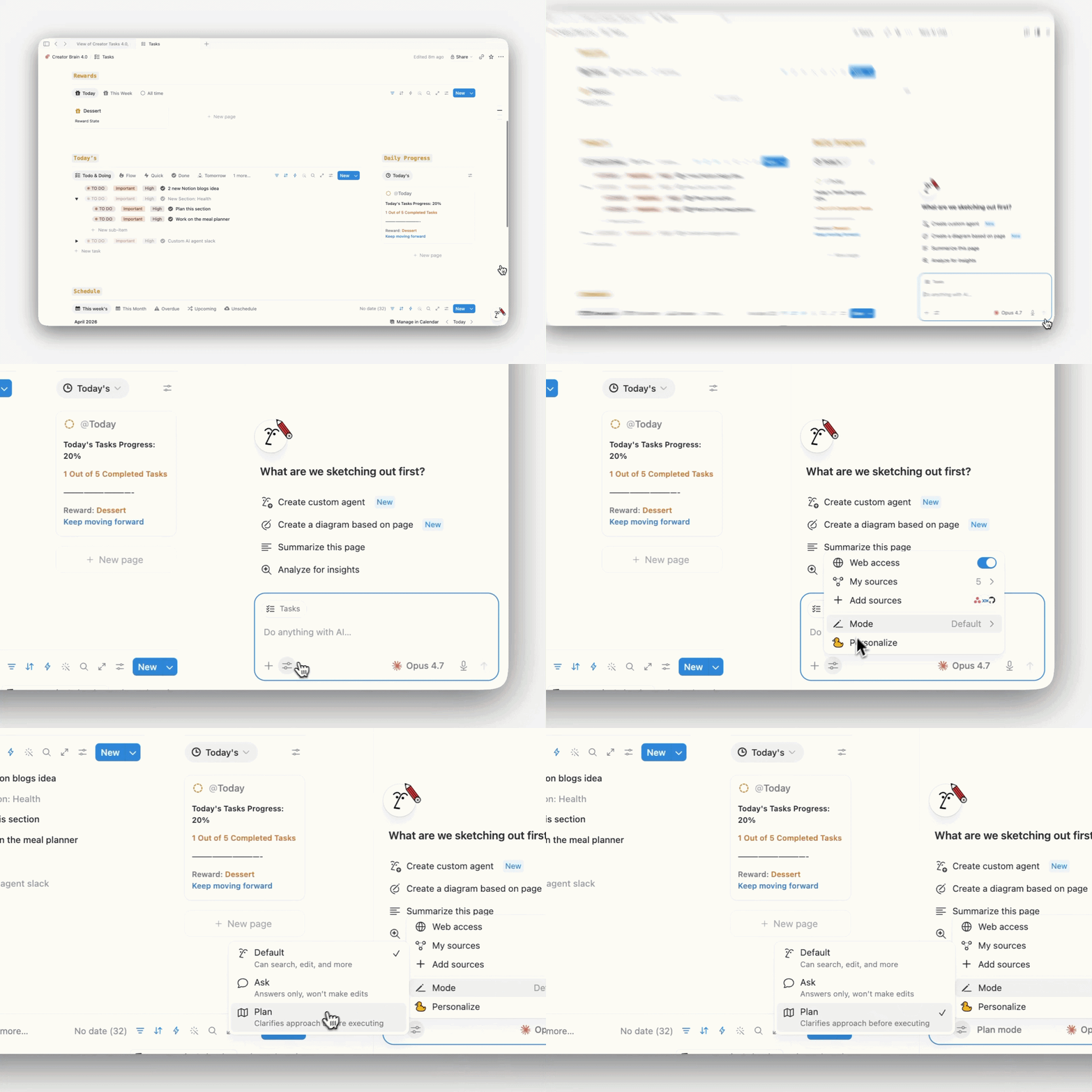
Notion AI now has a Plan Mode. Before the agent edits anything, it lays out a step-by-step plan of what it is about to do. You read it, approve it, edit it, or cancel. Then it runs.
Why it is useful: AI agents make mistakes. Plan Mode is the safety net. You see the plan before pages get rewritten or database rows get changed. No more “wait — why did it delete that?”
How to use it:
Open Notion AI / your agent.
Switch the mode to Plan.
Give your prompt.
Read the plan it generates.
Approve to run, or edit and re-run.
5. “Can Create Pages” permission
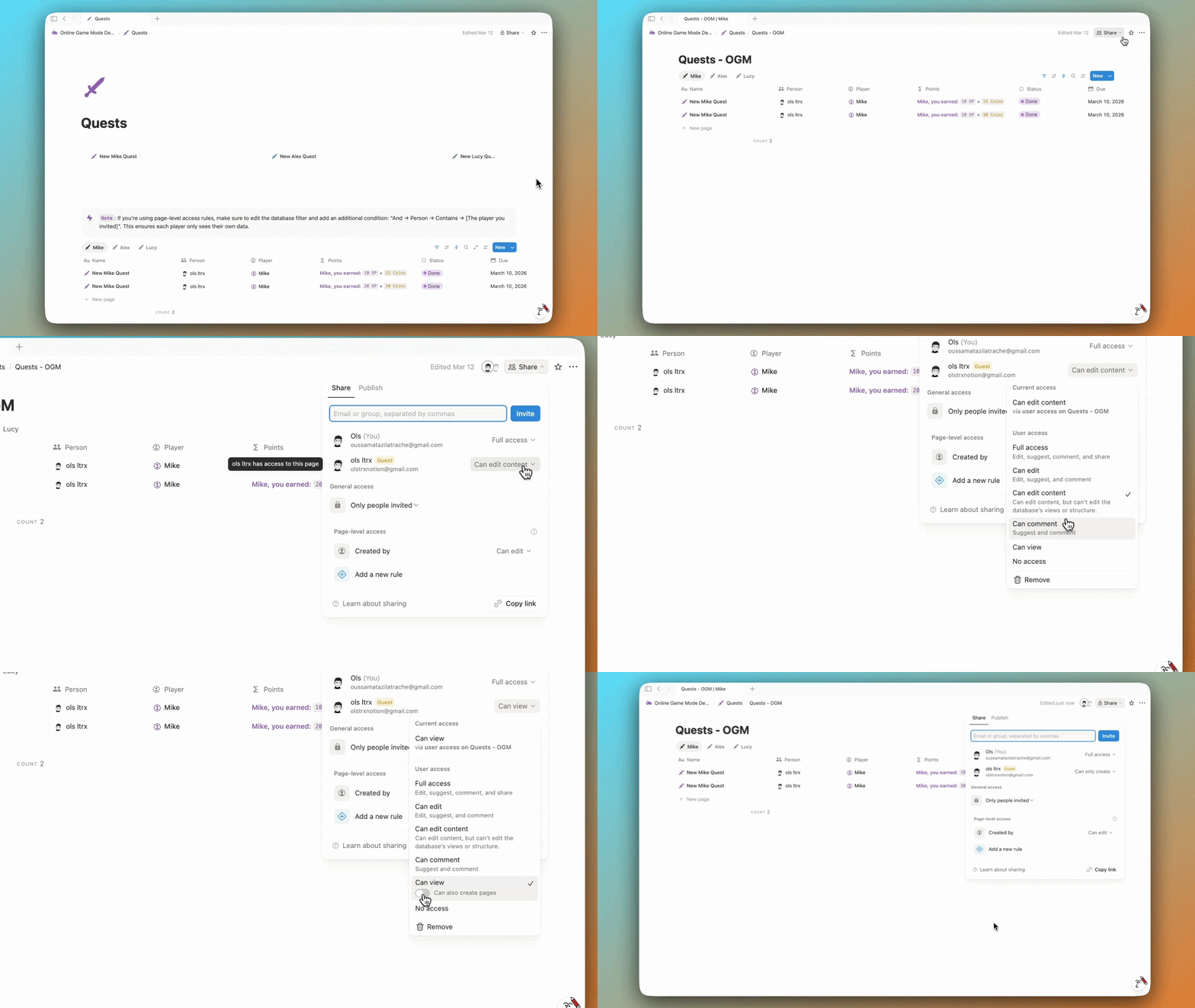
Notion finally fixed a real problem. Before this, if someone only had page-level access to a database, they could not add new entries.
The New button was locked. So contractors, clients, freelancers — anyone you wanted to give limited access — were stuck.
Now you can give them Can Create Pages. They can add a new page to your database without seeing any of the other rows. They contribute, you stay private.
Why it is useful: This is the permission anyone running shared systems has been waiting on. Client request trackers. Freelancer task intake. Submission databases without needing a Notion form.
How to use it:
Open the source database (full page, not a linked view).
Click Share at the top.
Add the person, group, or teamspace.
Set their access to Can Create Pages.
Done — they can add, they cannot browse.
Note: this permission is on the Business and Enterprise plans.
Five small features. Five real wins. None of them require a tutorial longer than this. Use them today.
Change Your Life
If you’re still new to Notion and you’re not ready to spend hundreds of hours building your own personal system from scratch — I’ve spent over 6 years building this one.
It worked for me and for hundreds of others. Grab Second Brain 7.0 today (7.0 dropping soon) — currently 30% off.